Your business should run
without you in the room.
We build the systems a company runs on, so the owner does not have to be there every day. That does one of two things for you. If you plan to sell, it makes the business worth more, because a buyer pays for a company that runs on its own. If you plan to grow, it gives you protocols you can repeat, so the tenth hire and the tenth route work like the first.
A buyer discounts a company that lives in the owner's head. Written procedures, a scorecard with history, an org chart with names in the seats and tools the staff already use are the difference between "the owner is the business" and "the business runs." That shows up in the multiple.
Growth breaks whatever is informal. When routes, quotes, hiring paperwork and the weekly meeting all run the same way every time, a new manager can pick them up in a week, and you stop being the bottleneck on every decision.
Below is one example, screen by screen. Prime Sweeping is an overnight parking-lot sweeping and day porter company in metro Atlanta, eight routes a night. In September 2026 we built them one private website: route planning, prospecting, quoting, a management hub for running the company week to week, written procedures, HR forms and the company's documents, all on their own data, behind one sign-in. The screens on this page are that site running on made-up names and numbers.
Everything the team needs,
at one address.
The company's tools, forms, procedures and documents sit behind one sign-in, with a home page that asks what you need to do. Each person gets their own link by email, and sees only what their role needs. Nobody hunts through shared drives or texts the owner to ask where something is.
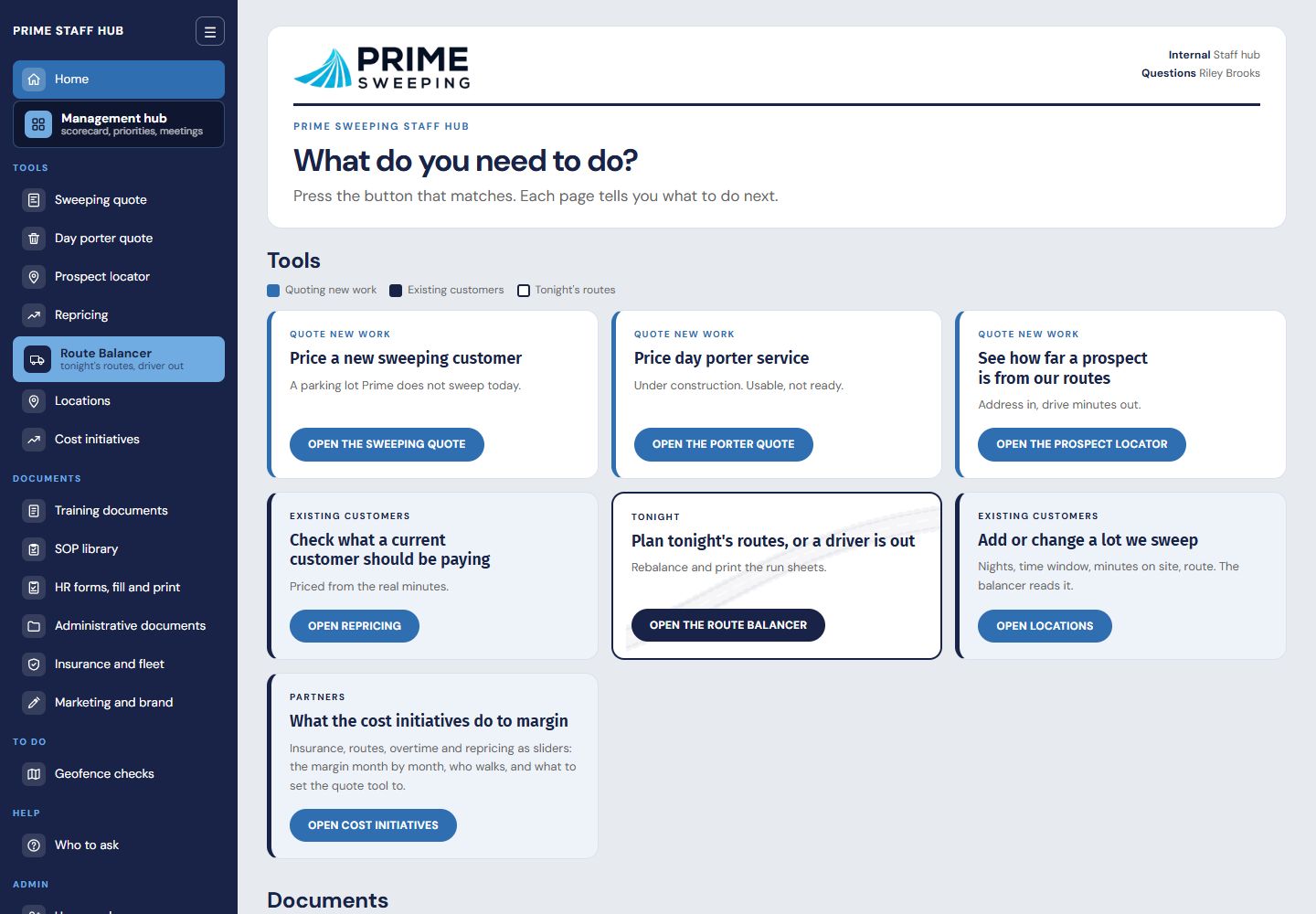
The home page. Tools on top, documents below, the Management hub one click from anywhere. The sidebar follows you onto every page.
The weekly rhythm of the company,
on one screen.
This is where the leadership team runs the business: the numbers that matter each week, the quarter's priorities, open issues, to-dos and the weekly meeting itself. Every item has one owner and a date. When the owner steps back, the meeting still happens, the numbers still get entered, and nothing waits on one person's memory.
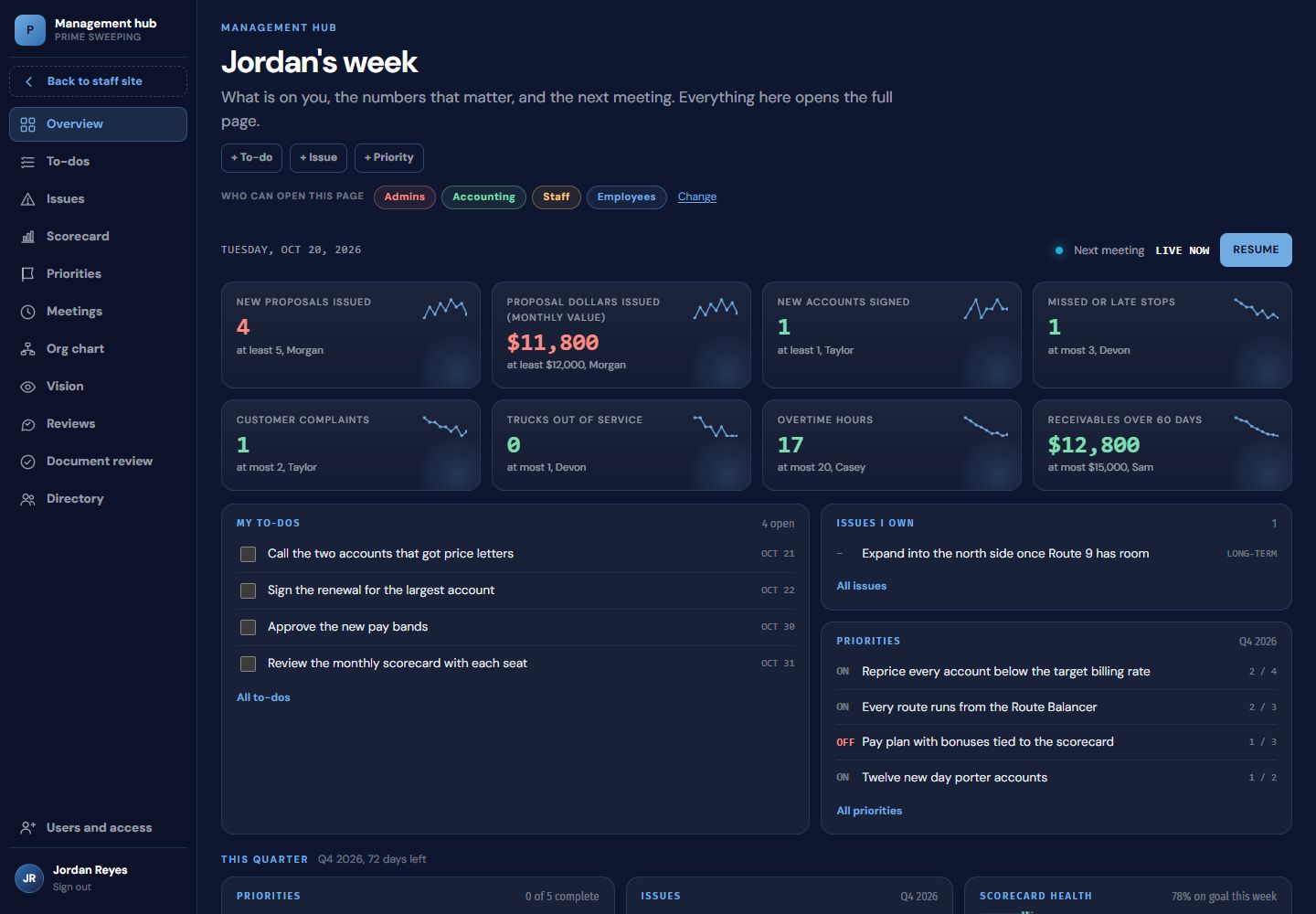
My week. Each person's home: their numbers against goal, their to-dos, the issues they own, the quarter's priorities and a countdown to the next meeting.
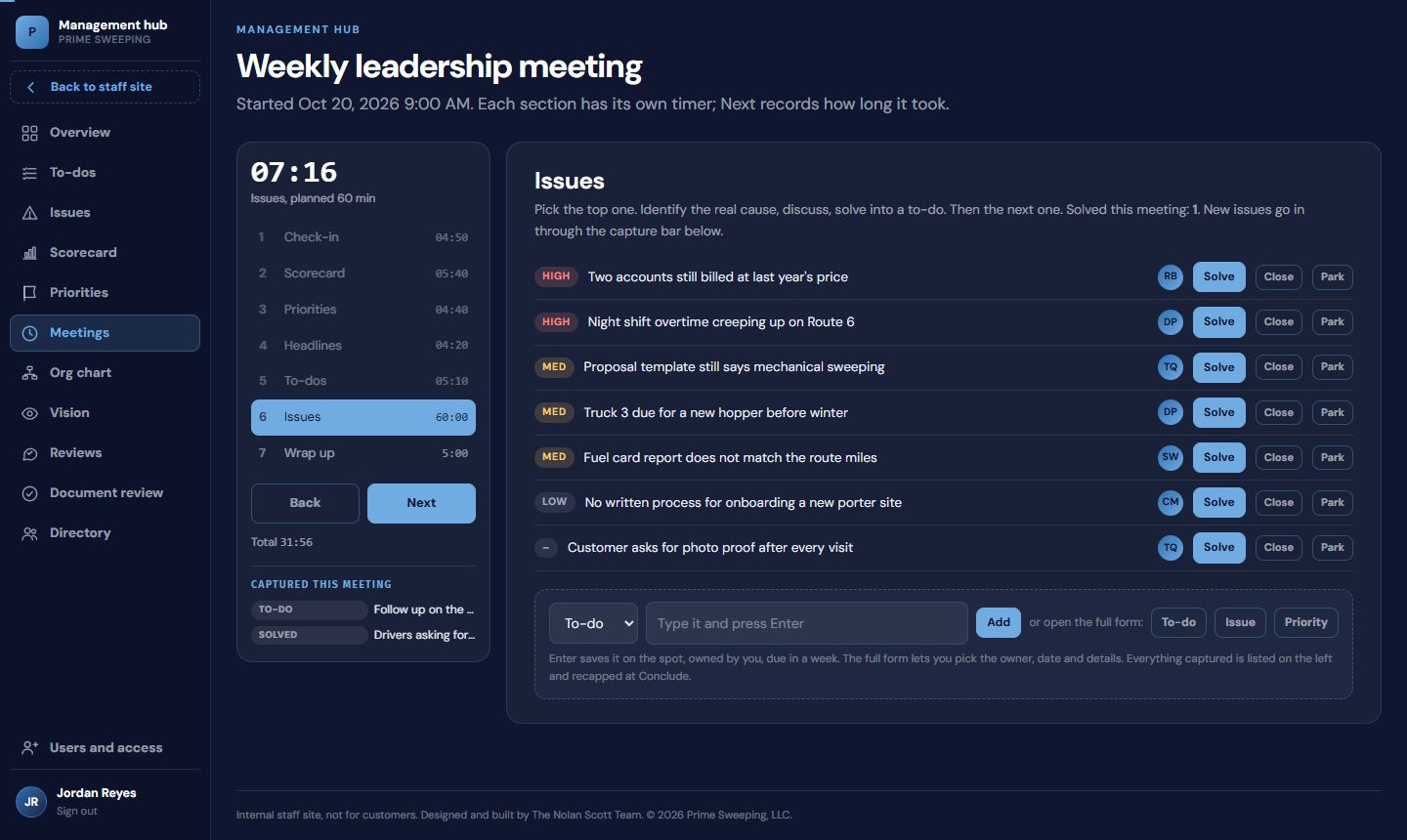
The meeting runner. A timed agenda, one section at a time. Solve turns an issue into a to-do with an owner and a date. The capture bar at the bottom adds a to-do, an issue or a priority without leaving the meeting.
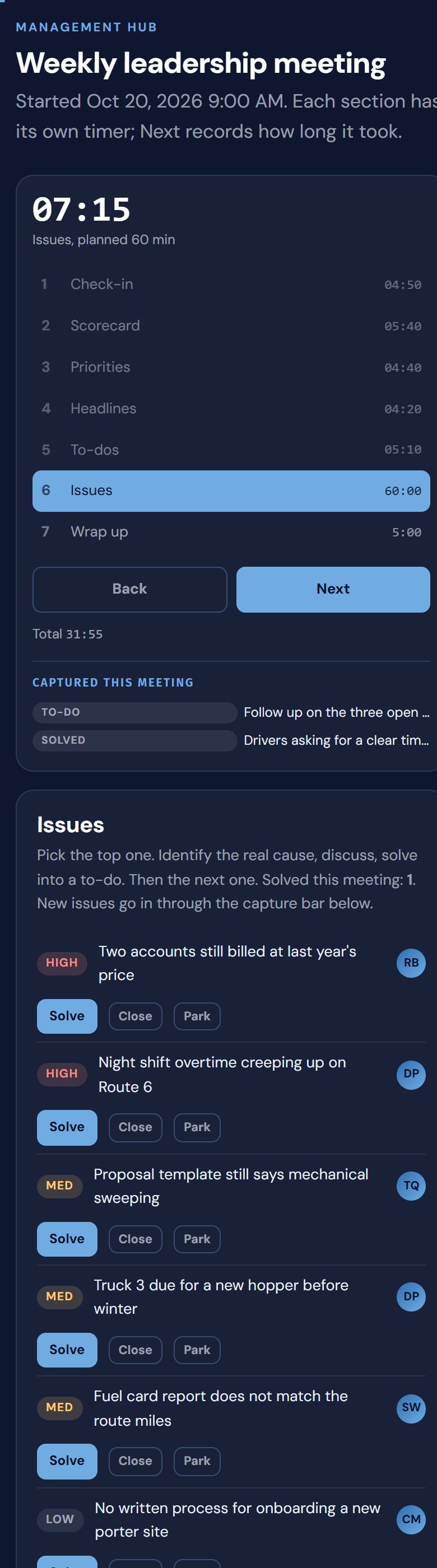
On a phone. The same meeting, run from the truck or the job site.
- Every section has its own timer and turns red when it runs over.
- Attendance, ratings from 1 to 10 and notes are saved at every step.
- Close the tab by accident and the meeting resumes where it left off.
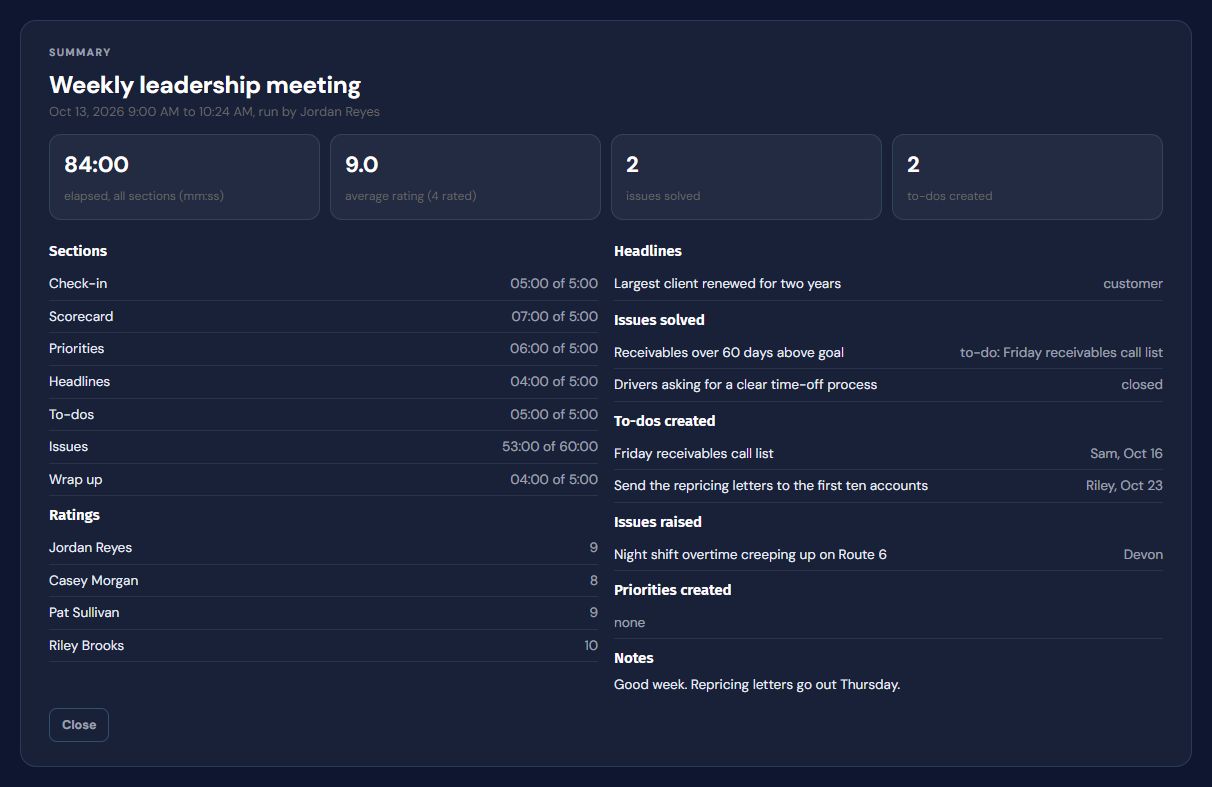
- Finish writes the summary: what was solved, assigned and raised.
Scorecard
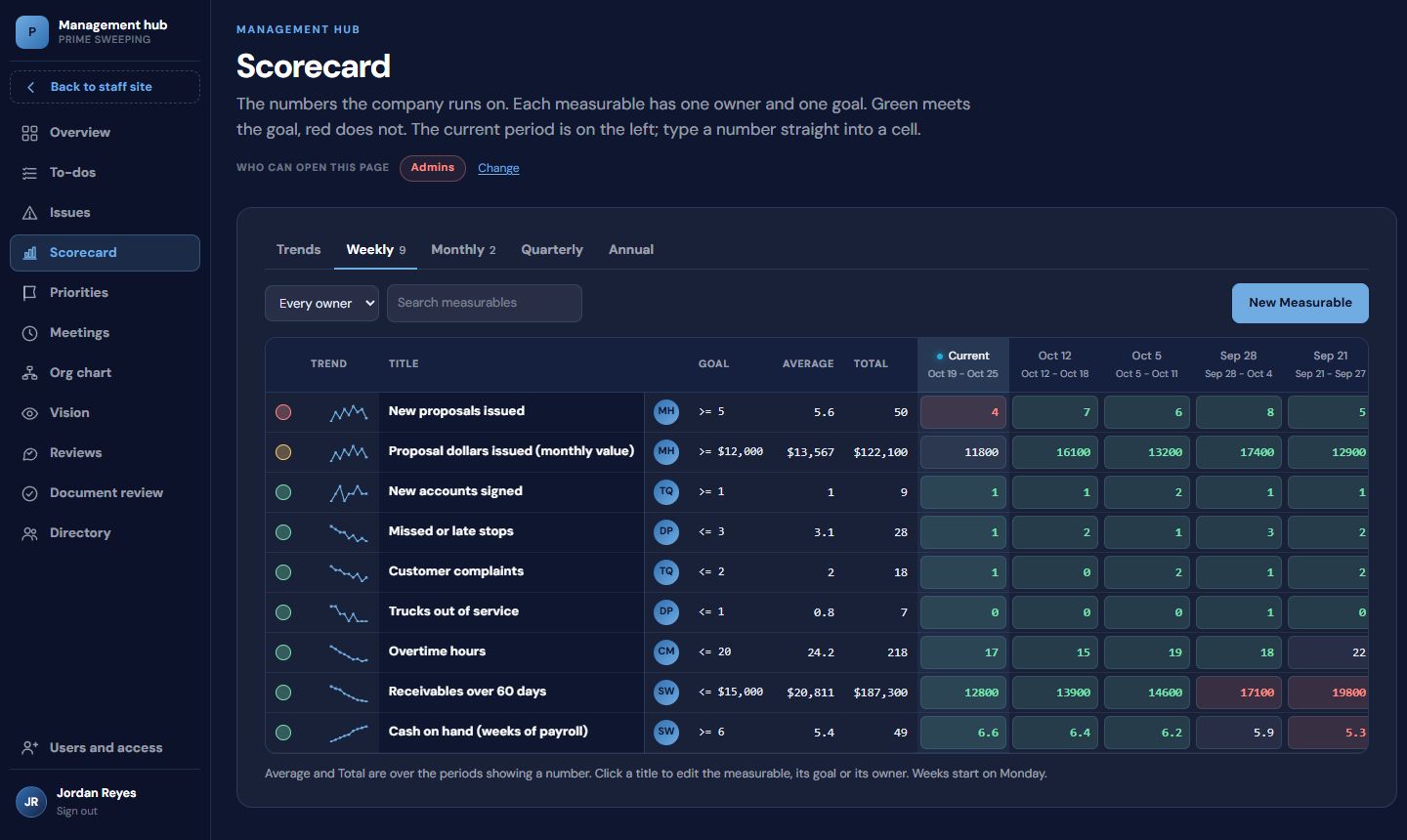
Weekly, monthly, quarterly and annual measurables, each with one owner and a goal. Green meets the goal, red does not, and a sparkline shows the trend. Thirteen weeks of history is exactly what a buyer asks to see.
Quarterly priorities
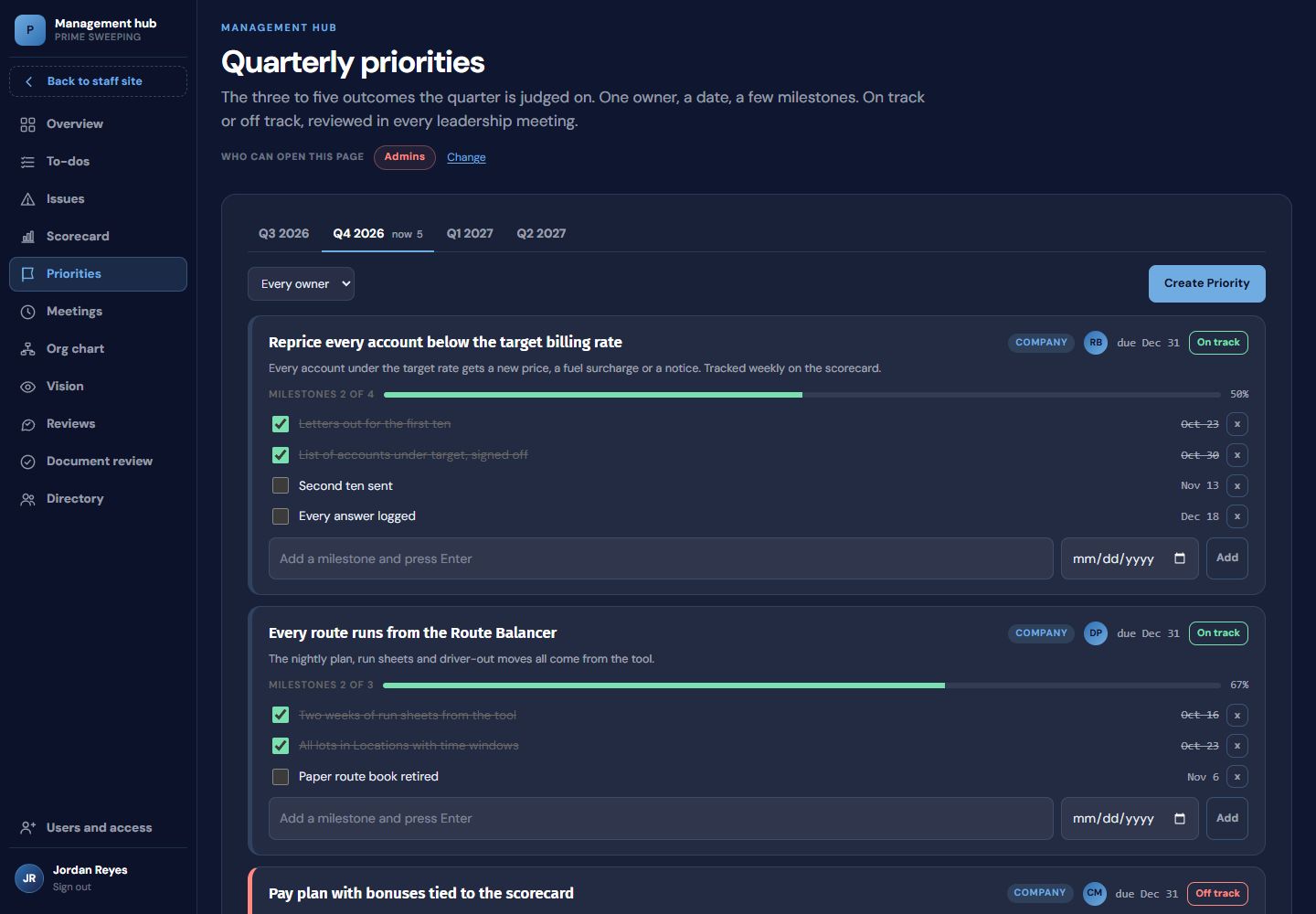
The three to seven things the quarter is judged on. Each has an owner, a due date, milestones and a progress bar, and shows on or off track in every meeting.
Issues
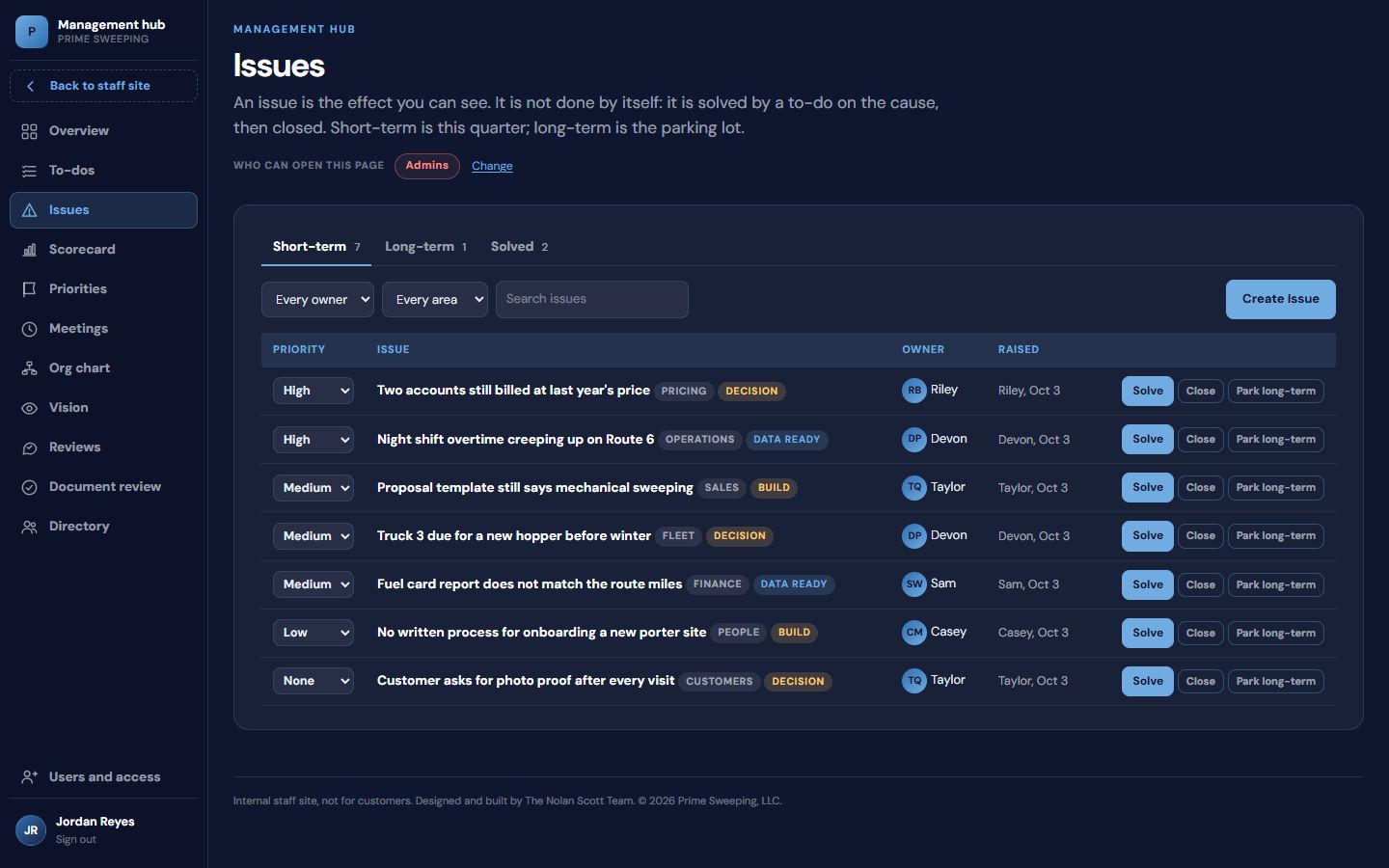
Every open problem in one list, filtered by area and tagged by what it needs: data, a decision or something built. Solve turns an issue into a to-do; long-term items are parked, not lost.
To-dos
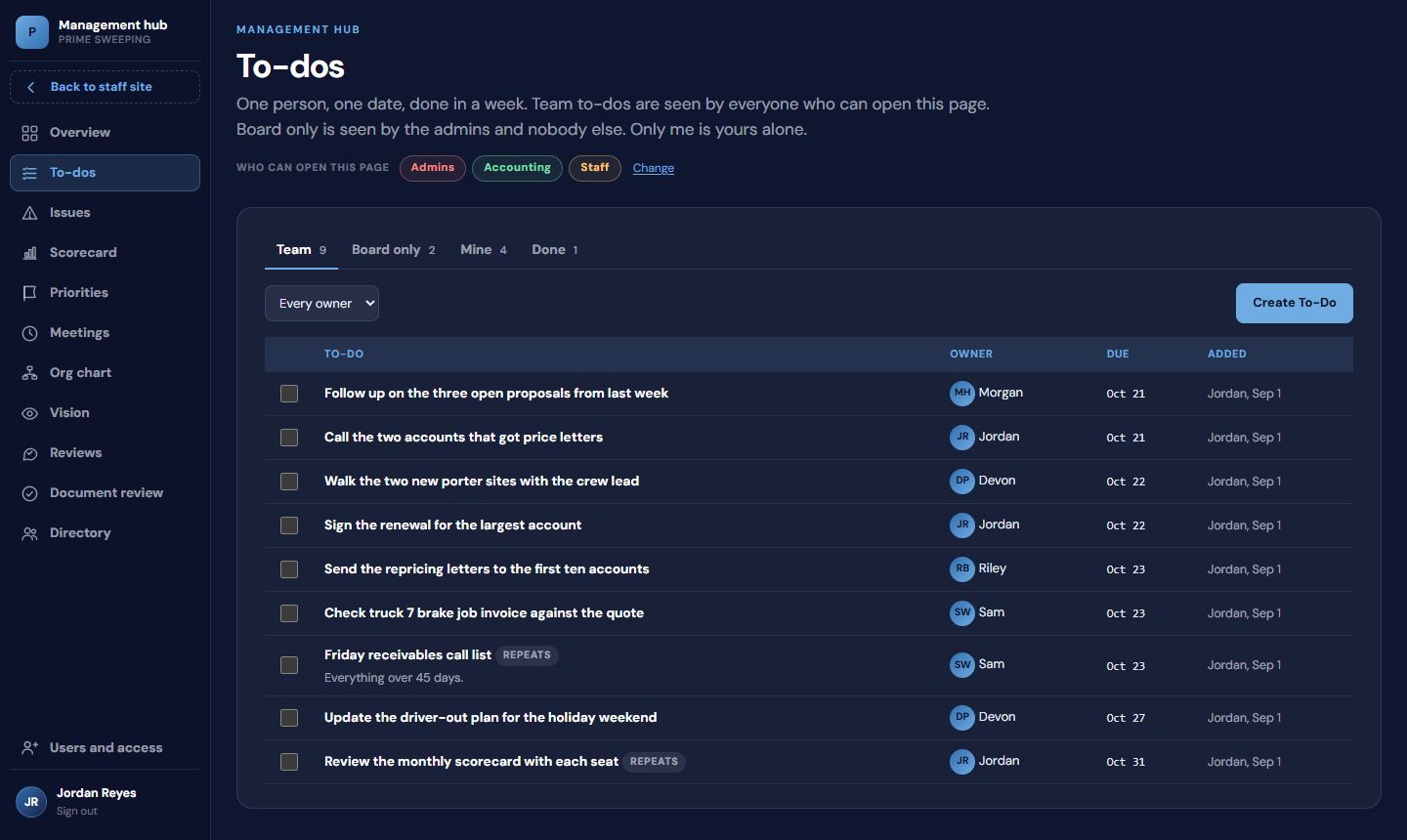
Team, board-only and private lists. A repeating to-do makes its next one when it is ticked off, so the Friday receivables call happens every Friday.
Meetings and the summary
Pick an agenda: the weekly leadership meeting, a quarterly session, a one-on-one or your own topics. Every meeting leaves a summary: time per section, ratings, what was solved, what was assigned, and the notes.
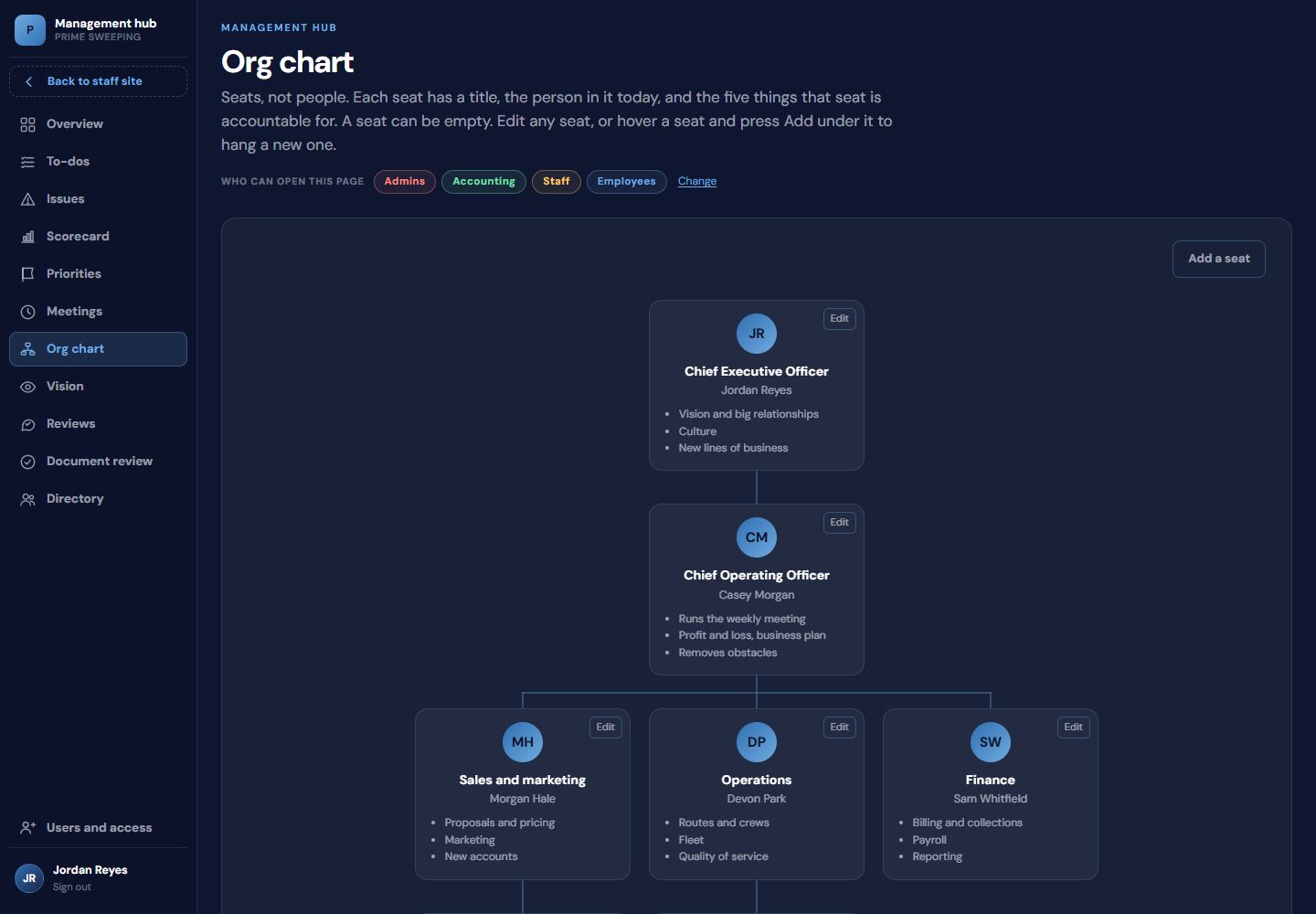
Org chart
Seats, not just names: each seat has a title, the person in it, who it reports to and the five things it is responsible for. An empty seat is visible, which is the point.
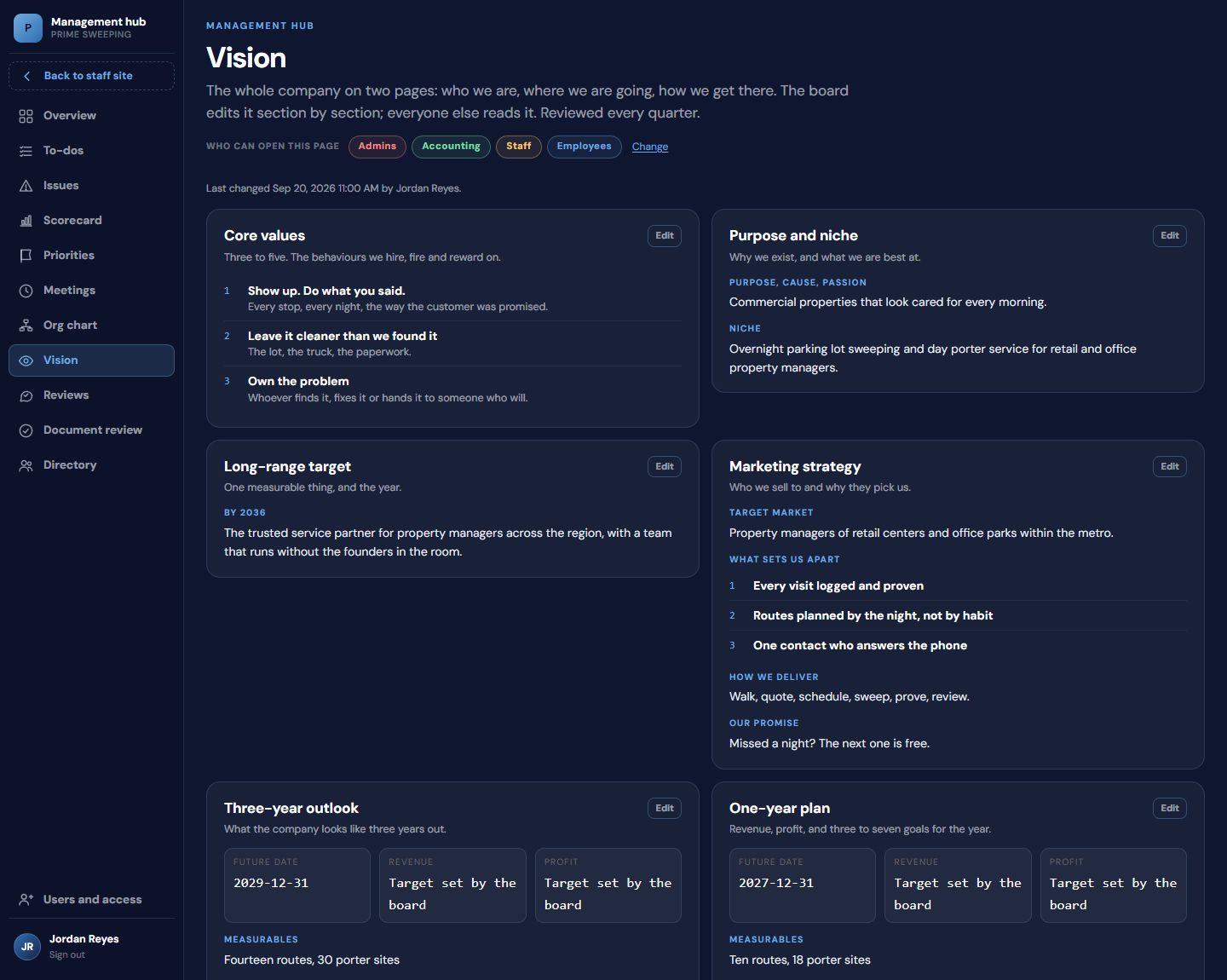
Vision
Purpose and niche, the long-range target, what sets you apart, the three-year outlook and the one-year plan, edited section by section by the owners and readable by everyone. Figures here are placeholders.
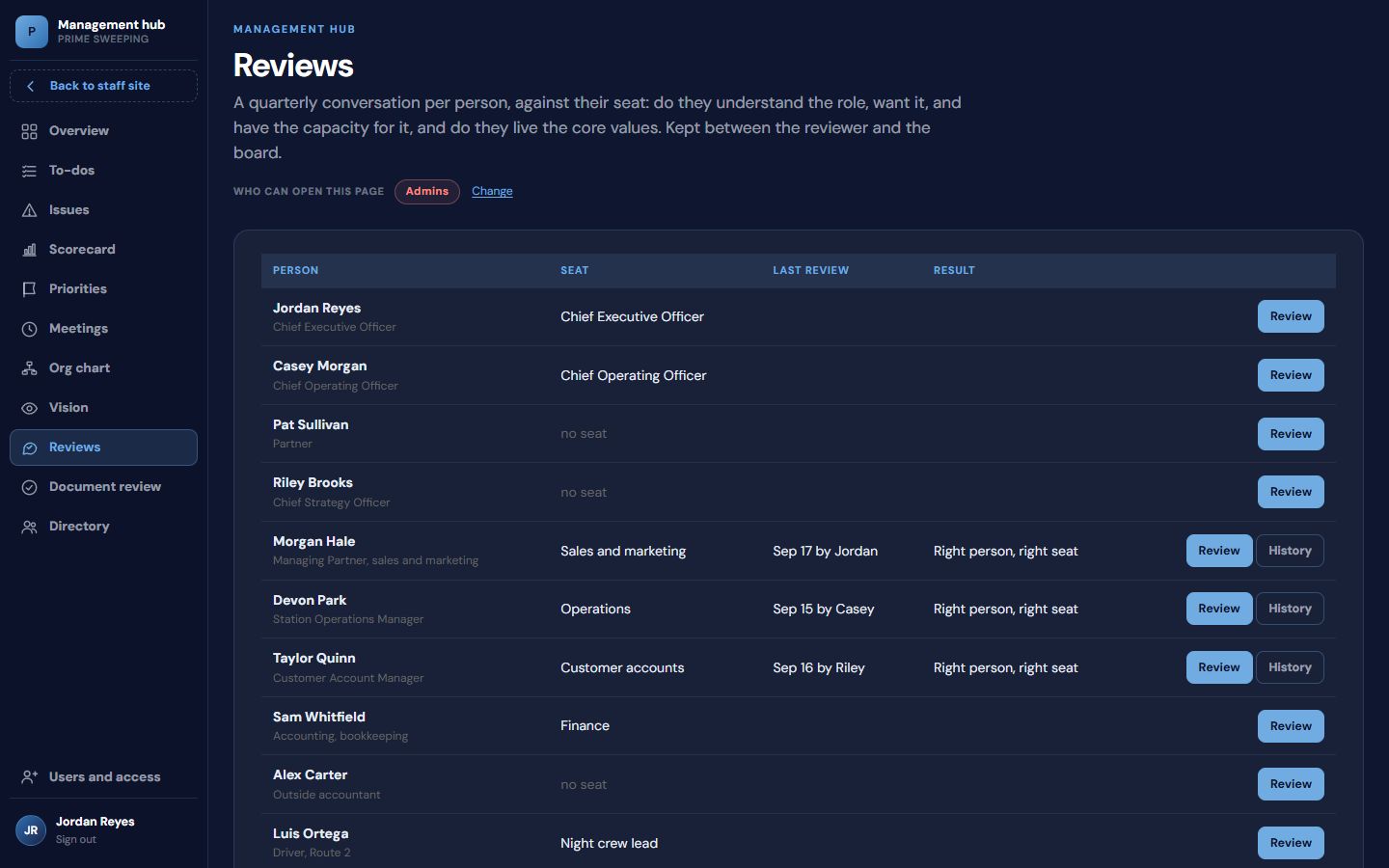
Reviews
A quarterly conversation per person against their seat: do they understand the role, want it, and have the capacity for it, and do they live the company's values. History is kept per person.
Document review
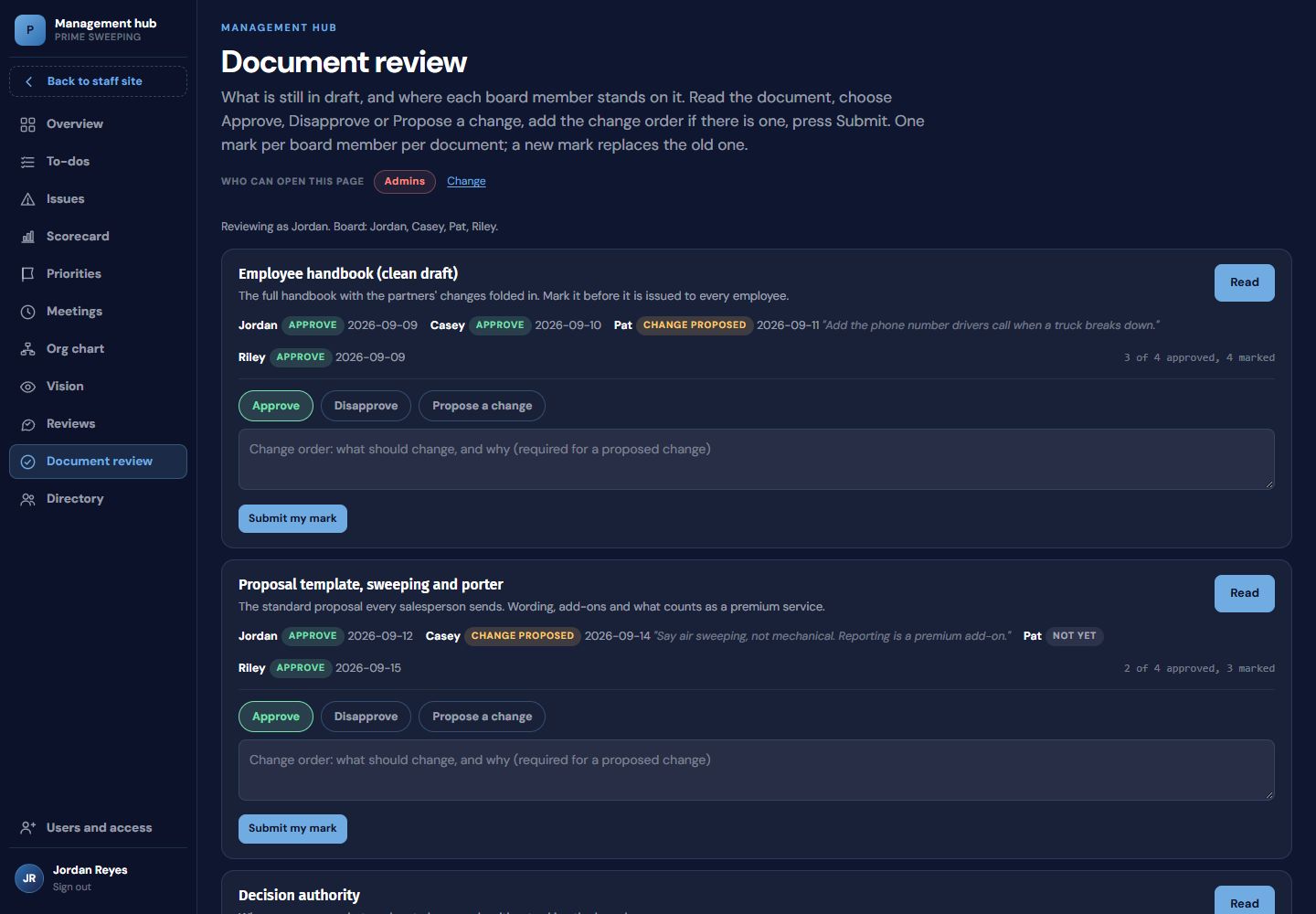
The board approves documents without an email chain. Each partner reads the draft and marks Approve, Disapprove or Propose a change, with the change typed in. One mark per person per document, visible at a glance.
Directory
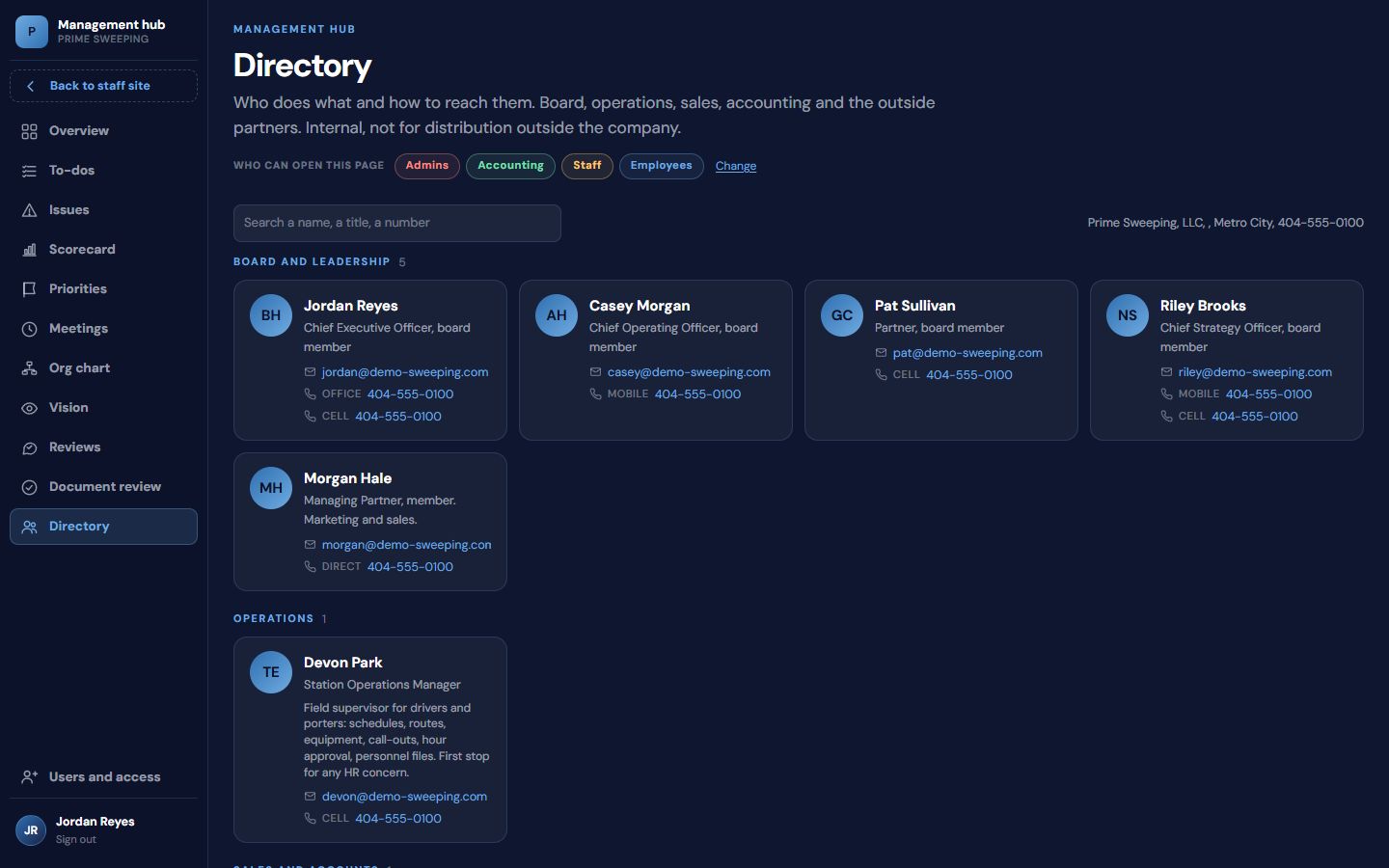
Everyone and every outside partner, by group, with a search box. Names and numbers here are placeholders.
Tonight's routes, balanced
in one click, without the owner.
Pick the night, mark who is out, press Balance. The tool reorders every stop across the trucks that are running, keeps every driver inside the shift cap, draws the routes on a map and prints a run sheet per driver. The night no longer depends on the one person who knows every lot by heart.
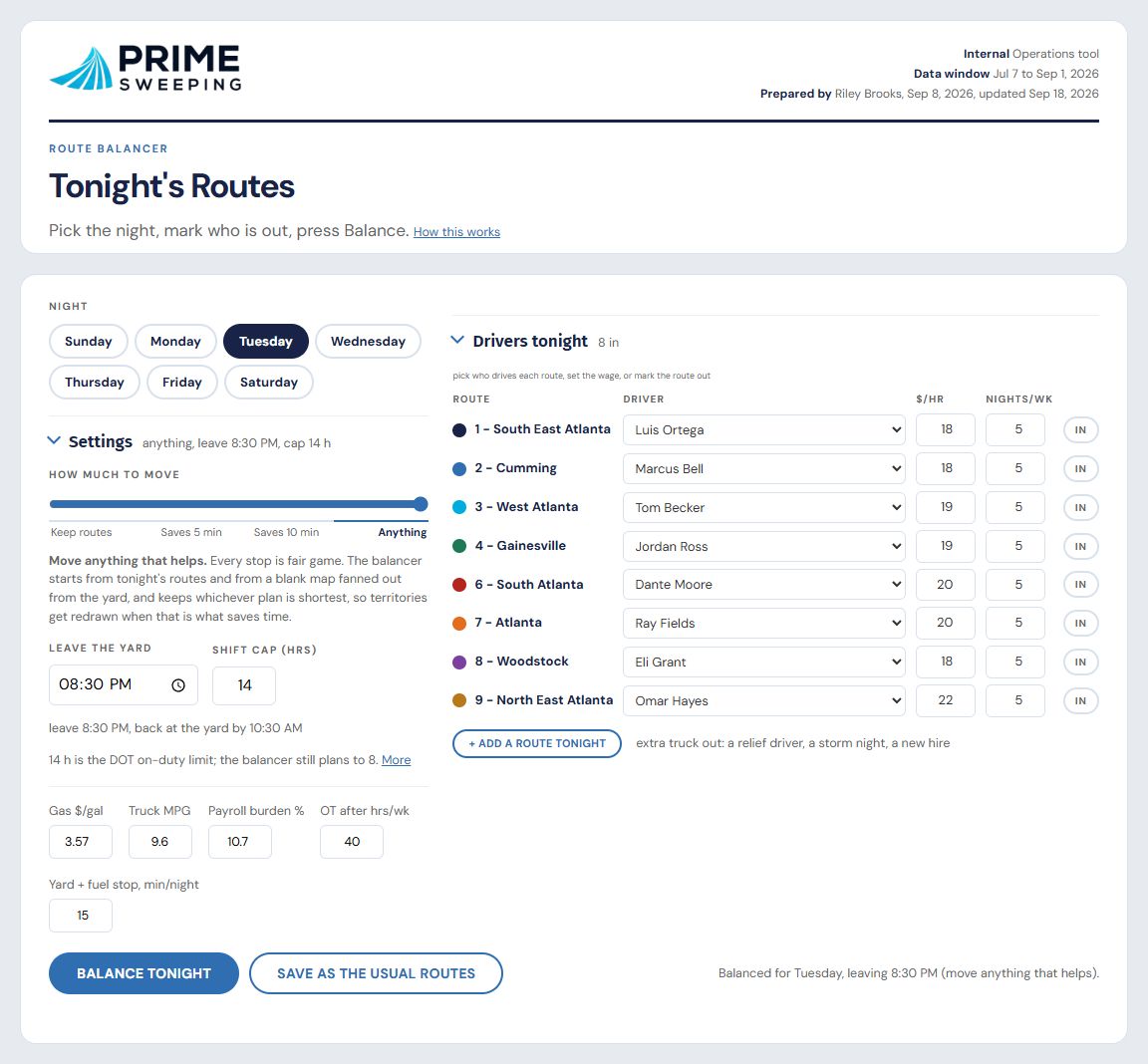
The planner. Pick the night and who is driving. Settings hold the shift cap, the yard time and how far stops may move.
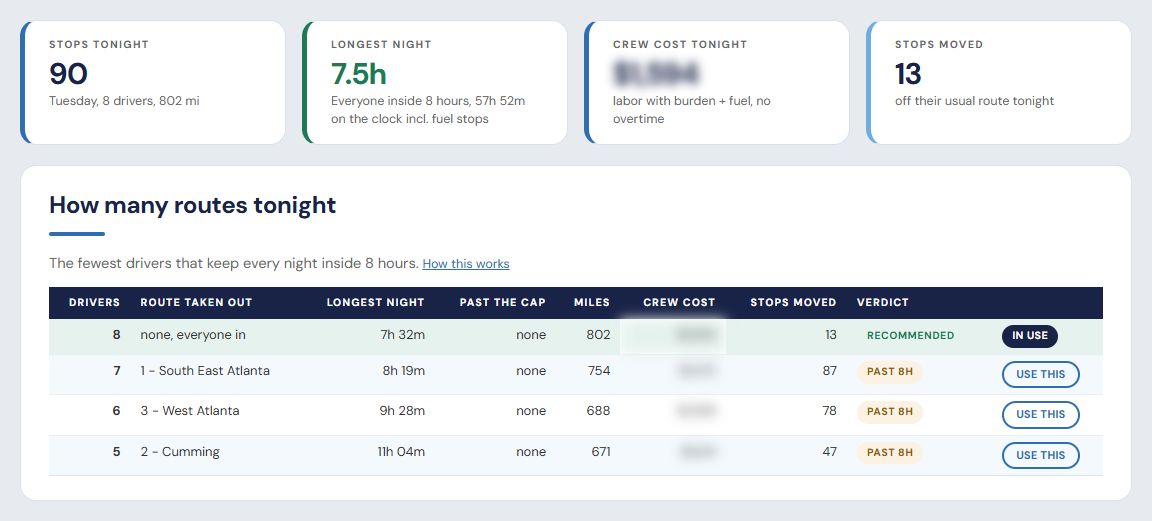
How many trucks tonight. The ladder tries one fewer truck per row and shows the longest night and the stops moved for each, so the call is made on numbers. Crew cost is blurred here; the tool shows it.
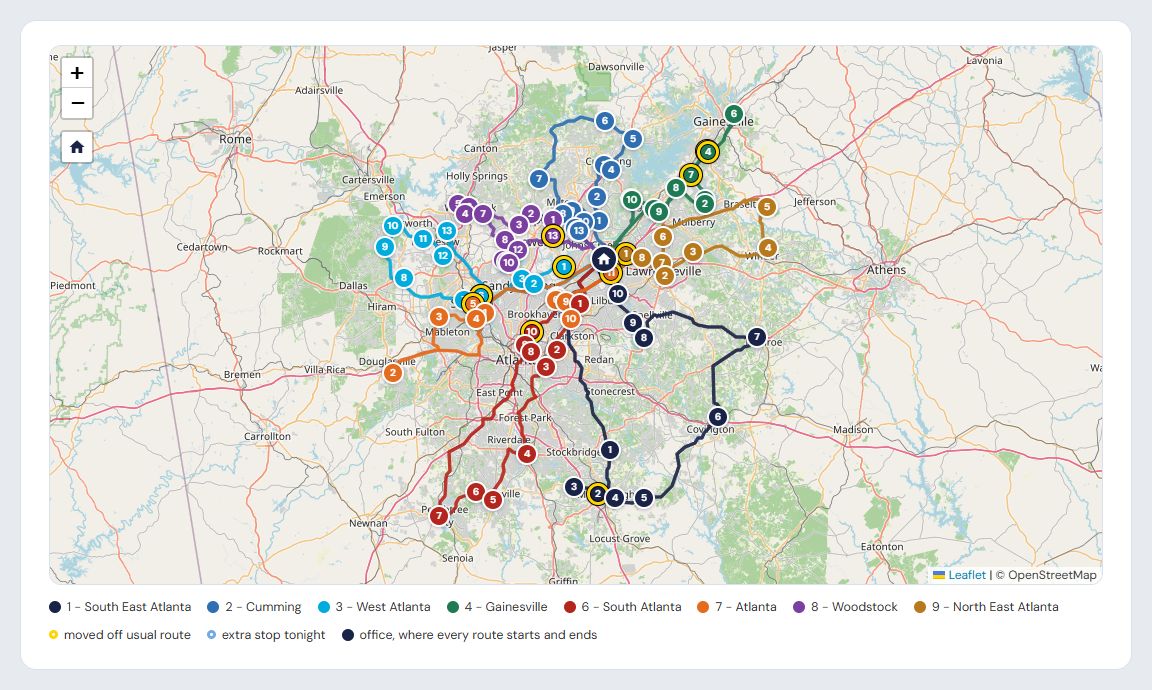
The map. Every route drawn, the yard pinned, moved stops marked.
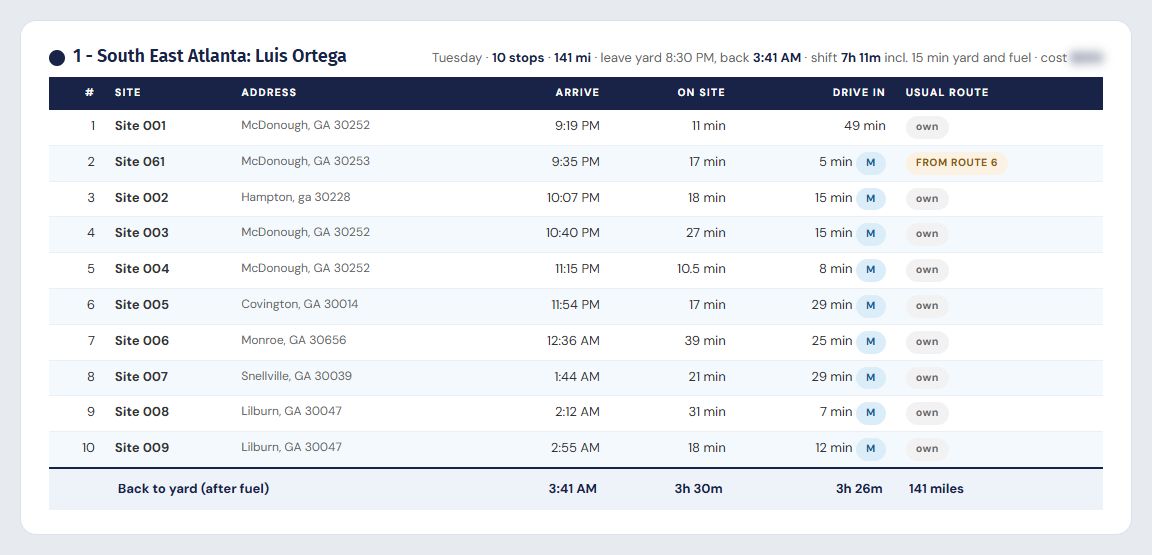
The run sheet. One per driver: order, arrive times, minutes on site, drive time. Site names and addresses are placeholders here.
- Driver out. Their stops move to the trucks that are in, and the map redraws.
- Time windows. Lots that open late or must be done early are respected in the order.
- Monthly work. Occasional and monthly jobs are a pick list for the night.
- Save as usual. Tonight's plan can become the standing route with one button.
Where a new job sits
against the routes already running.
Type an address or drop a pin. The tool finds the closest route, the two stops the truck would fit the new site between, and the extra drive minutes the job adds to the night. Those minutes go straight into the quote, so a salesperson prices a job the way the owner would.
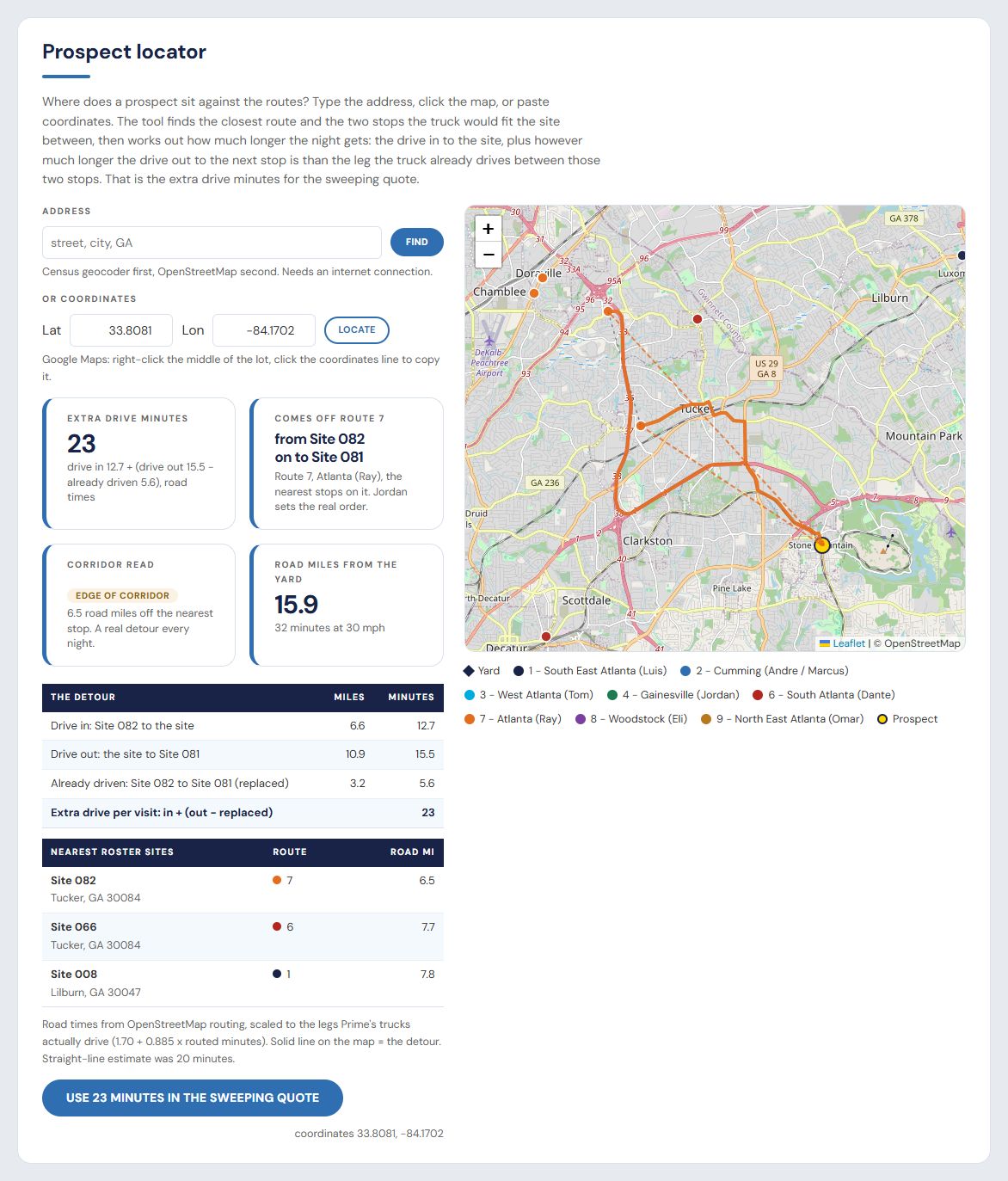
A lookup. This prospect sits 6.5 road miles off Route 7. The truck would drive 12.7 minutes in and 15.5 out, against the 5.6 it already drives between those two stops: about 23 extra minutes every night. The tool flags it as the edge of the corridor, so the detour is priced into the quote instead of discovered after the contract is signed.
Every stop, its nights and its hours,
changed in one place.
The list of every property the company services: which nights, what time it can be swept, how long the crew spends there, which route it usually rides. When a customer changes their hours or adds a night, the office edits it here once, and tonight's routes pick it up. No calling the driver, no spreadsheet the Route Balancer never sees.
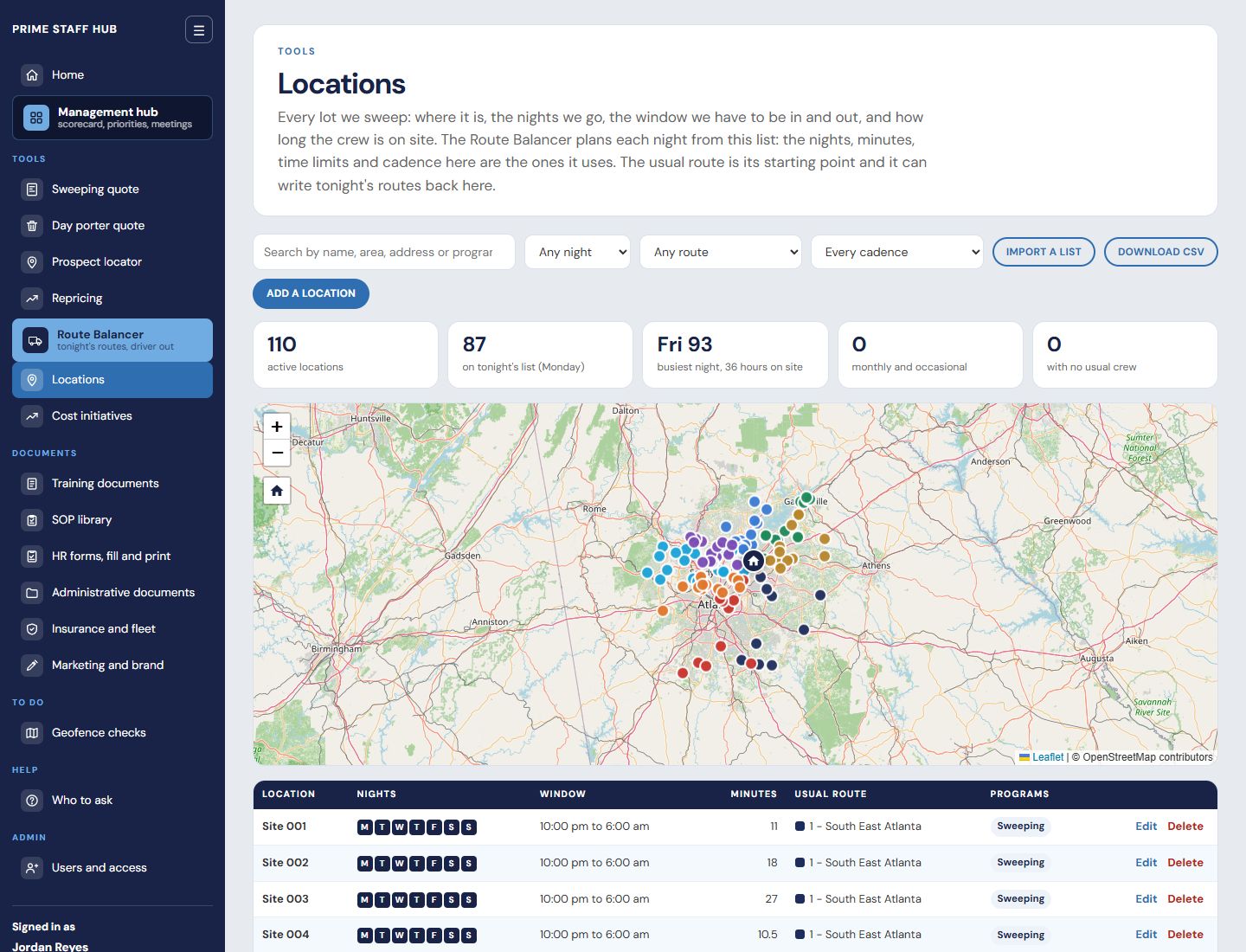
The list. Every stop on the map and in the table: nights, time window, minutes on site, usual route. Search it, filter it, import a list or download one.
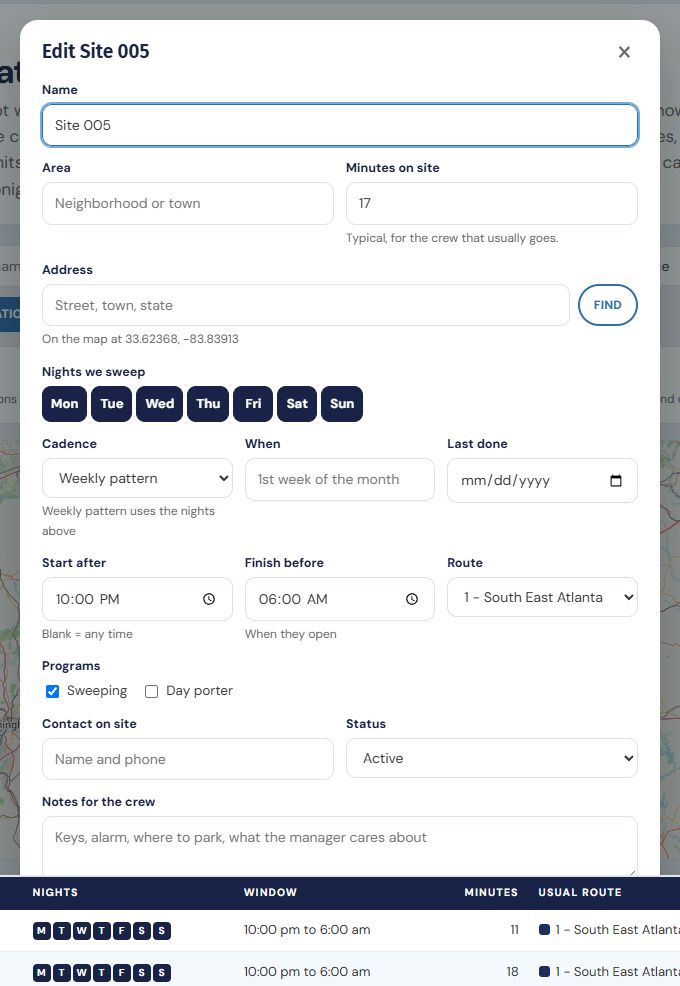
Changing a stop. Tick the nights, set the cadence, set when the lot can be swept (start after, finish before) and pick the usual route. Saved once, used by every tool.
What lives in one person's head,
written down with screenshots.
Every repeatable task gets a numbered procedure with an owner: sales, operations, day porter, fleet, HR and office. Each one is written from the way the task is actually done, step by step with screenshots, so a new hire can do it on day one and nobody has to call the owner.
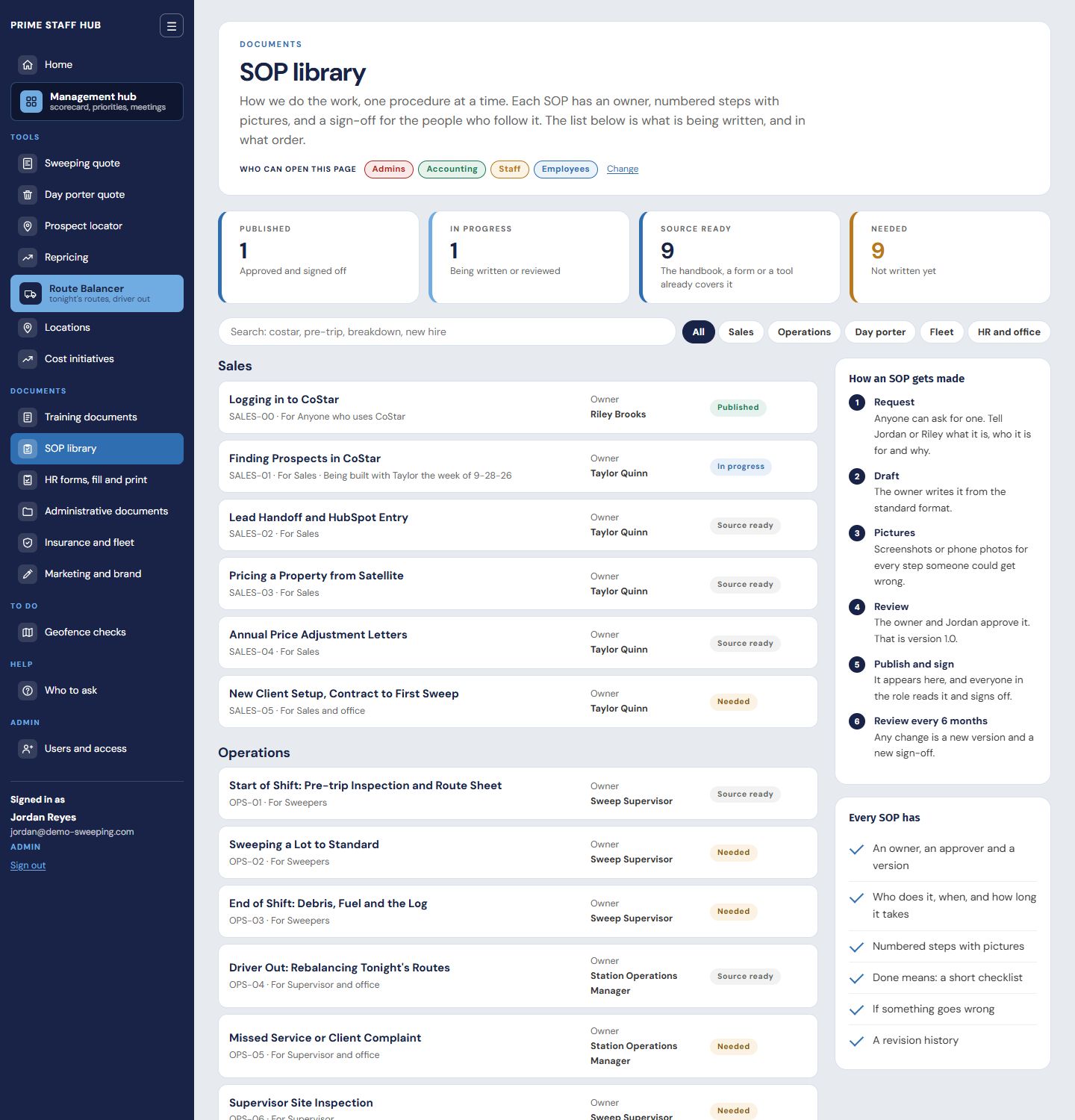
The library. Twenty procedures mapped across five departments, each with an owner and a status: published, in progress, source ready or needed.
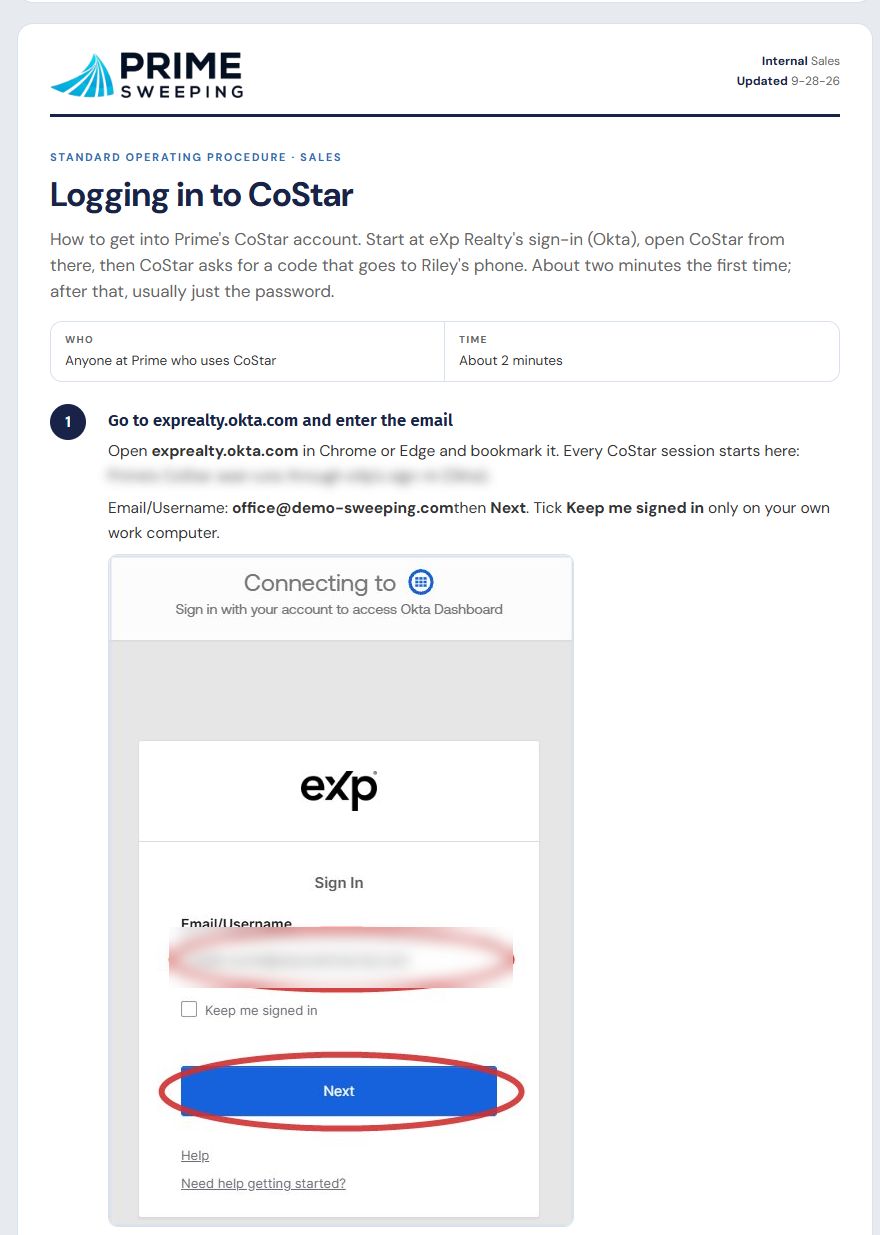
A published procedure, page one. What the task is, who does it and how long it takes, then numbered steps, each with a screenshot marked where to click. Login details are blurred.
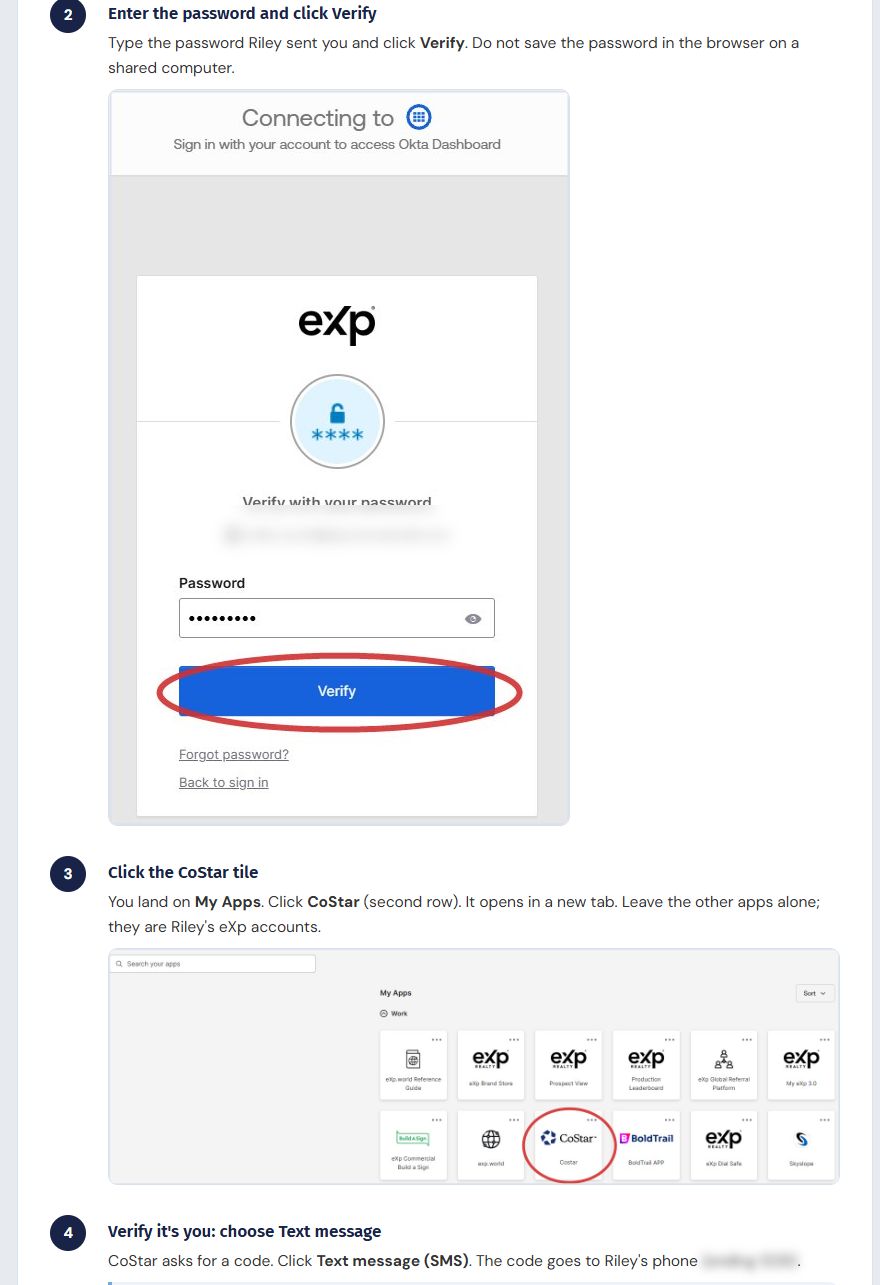
Further down. Every step has its own screenshot, so a new hire follows the pictures instead of calling someone. The finished procedure also prints as a PDF.
Thirteen HR forms,
filled on screen, printed or saved as PDF.
Handbook acknowledgment, time off, vehicle inspection, incident and injury, vehicle accident, coaching, warnings, suspension, reviews, property recovery and separation. Each form matches the employee handbook section it enforces, so a manager does the right thing the same way every time, and a draft stays on the computer until it is cleared.
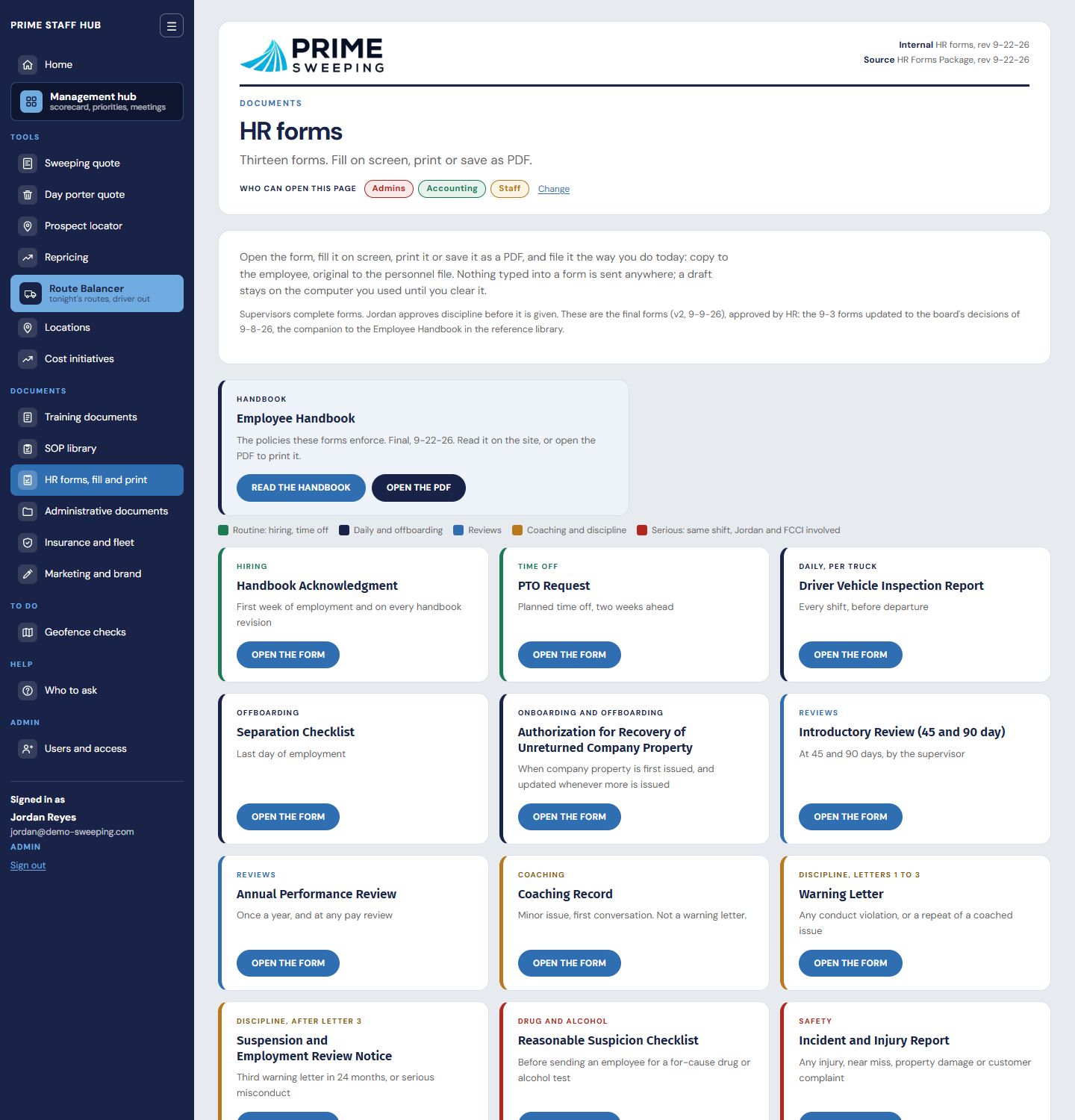
The index. Grouped from routine to serious, with the handbook one click away.
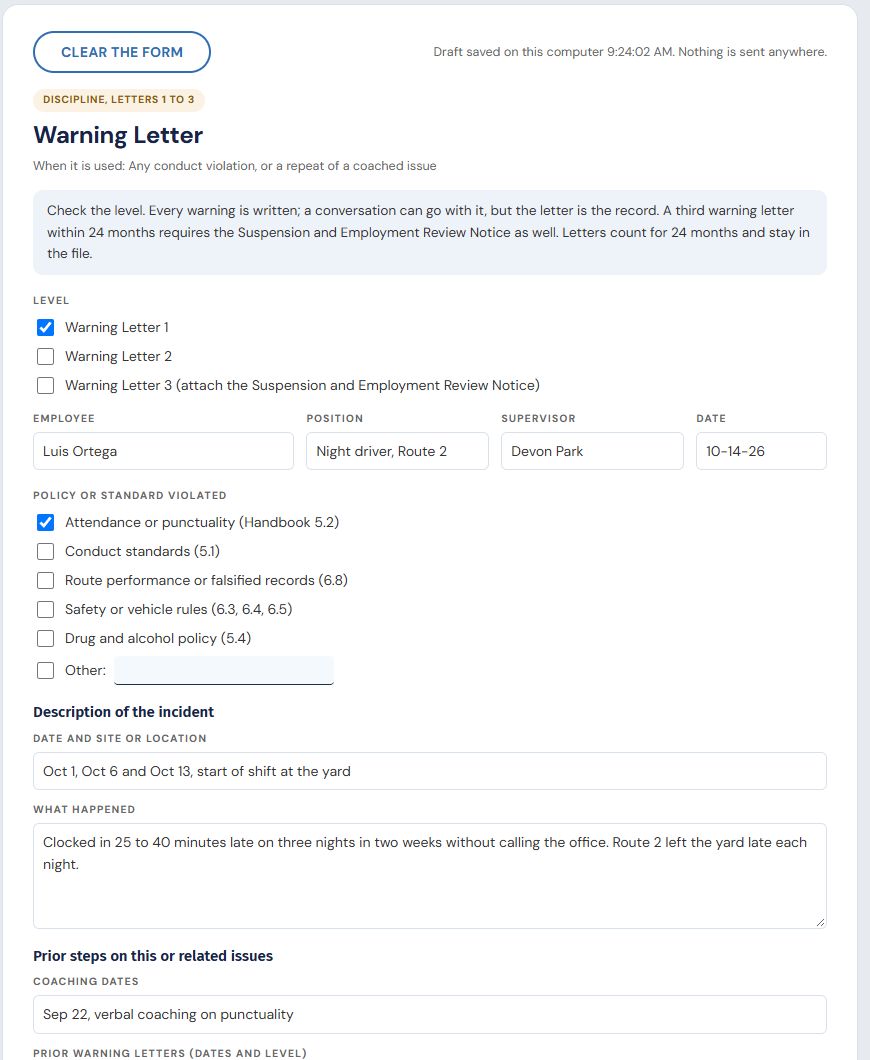
Filled in. A first warning for punctuality, typed on screen with sample details: level, employee, the handbook section broken, what happened and the prior coaching. Print drops the screen chrome and the form goes to paper or PDF for signature.
A quote built from measured time,
the same whoever runs it.
Lot size, layout, sweeps per week, drive minutes. The tool prices the job from the company's own time clocks and accounting costs, shows the monthly price and the price per visit, and checks the number against the rate the company must bill to hit its target margin. A new salesperson quotes like the owner on their first day.
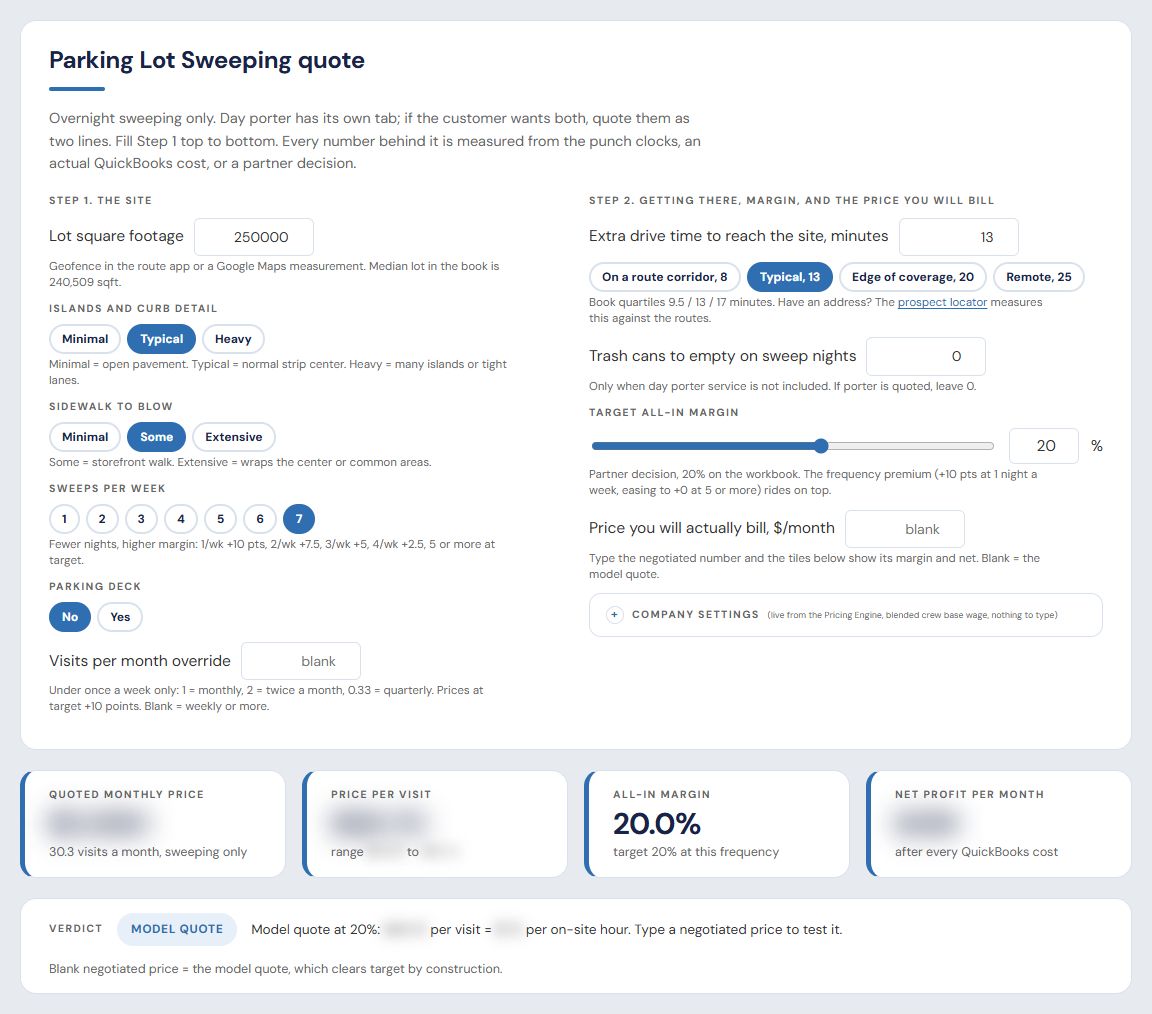
One quote, top to bottom. Six questions about the site, then the monthly price, price per visit, margin and a verdict against target. A sample job, not a real customer; dollar figures blurred.
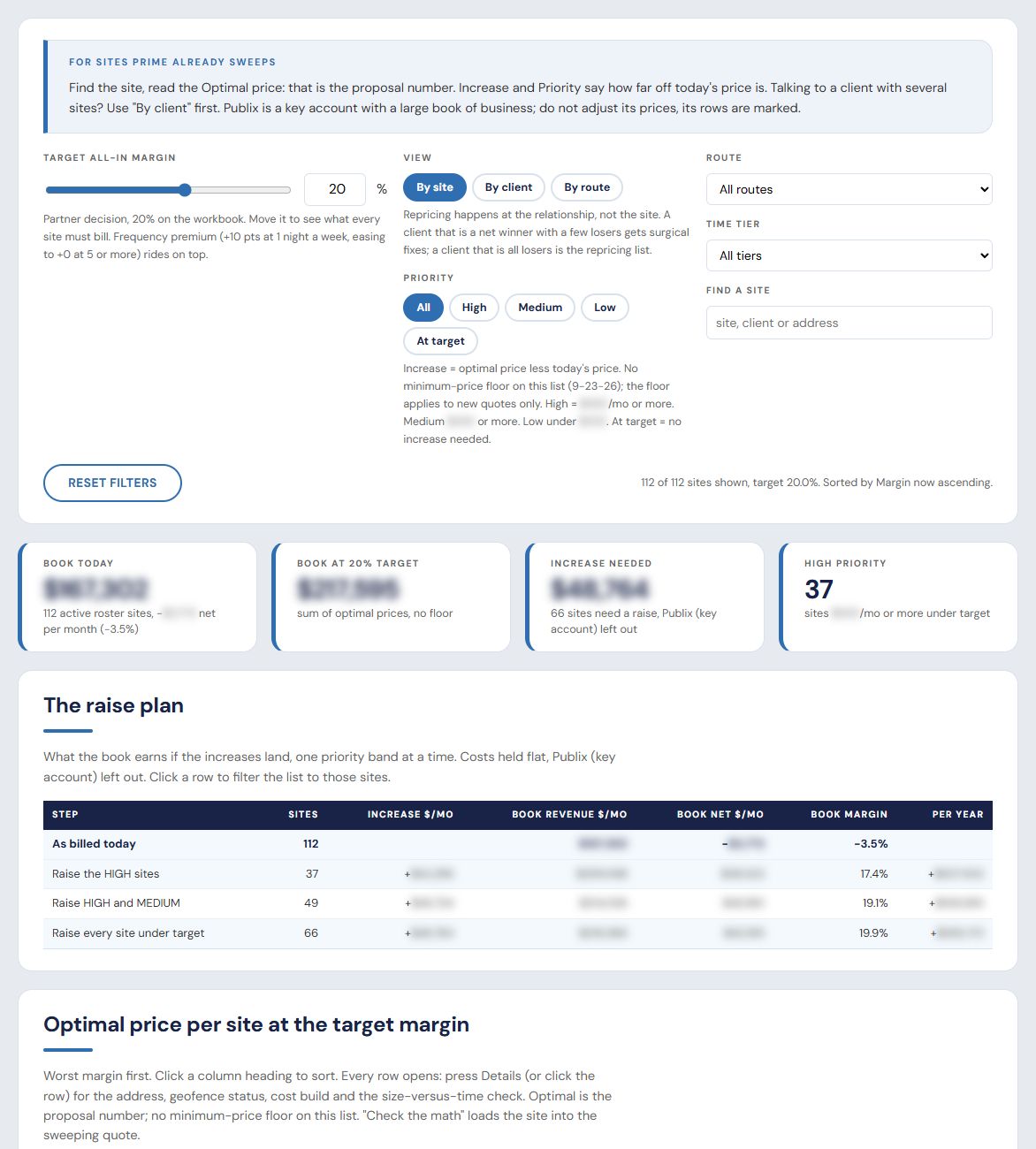
Repricing. The same model run over every existing account, sorted by how far each one is below target, with the letter to send. Dollar figures blurred.
The handbook, the terms and the playbooks,
one search box away.
The employee handbook, job descriptions, standard terms, who can decide what, the pricing process, the sales and repricing playbooks and the annual price letter. Internal and client-facing documents are kept apart, and each opens inside the site, ready to print.
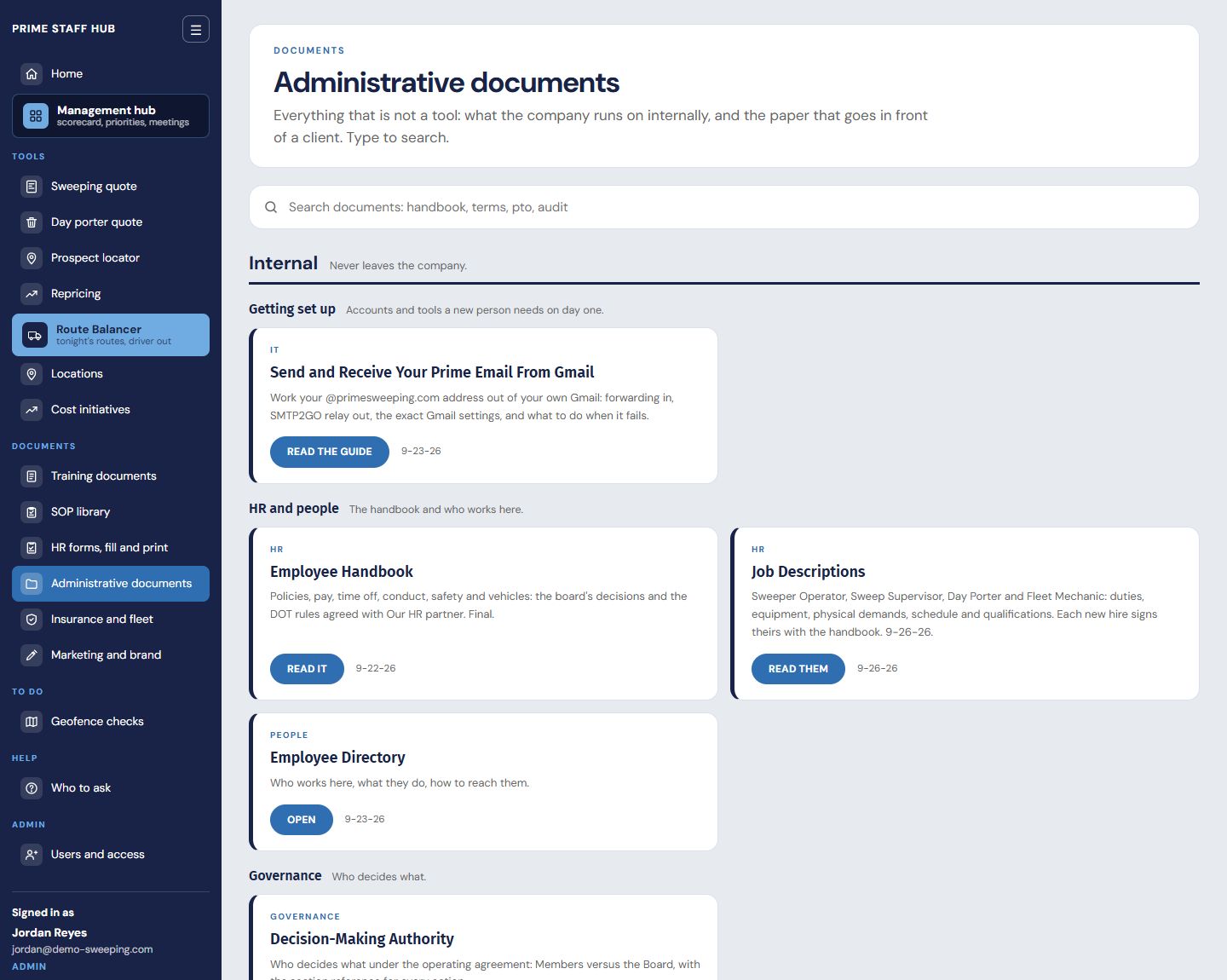
The library. Fourteen documents in groups: getting set up, people, governance, the pricing model and contracts.
Insurance and marketing,
in the same place.
The smaller pieces a company runs on, kept next to everything else instead of in a spreadsheet on one laptop.
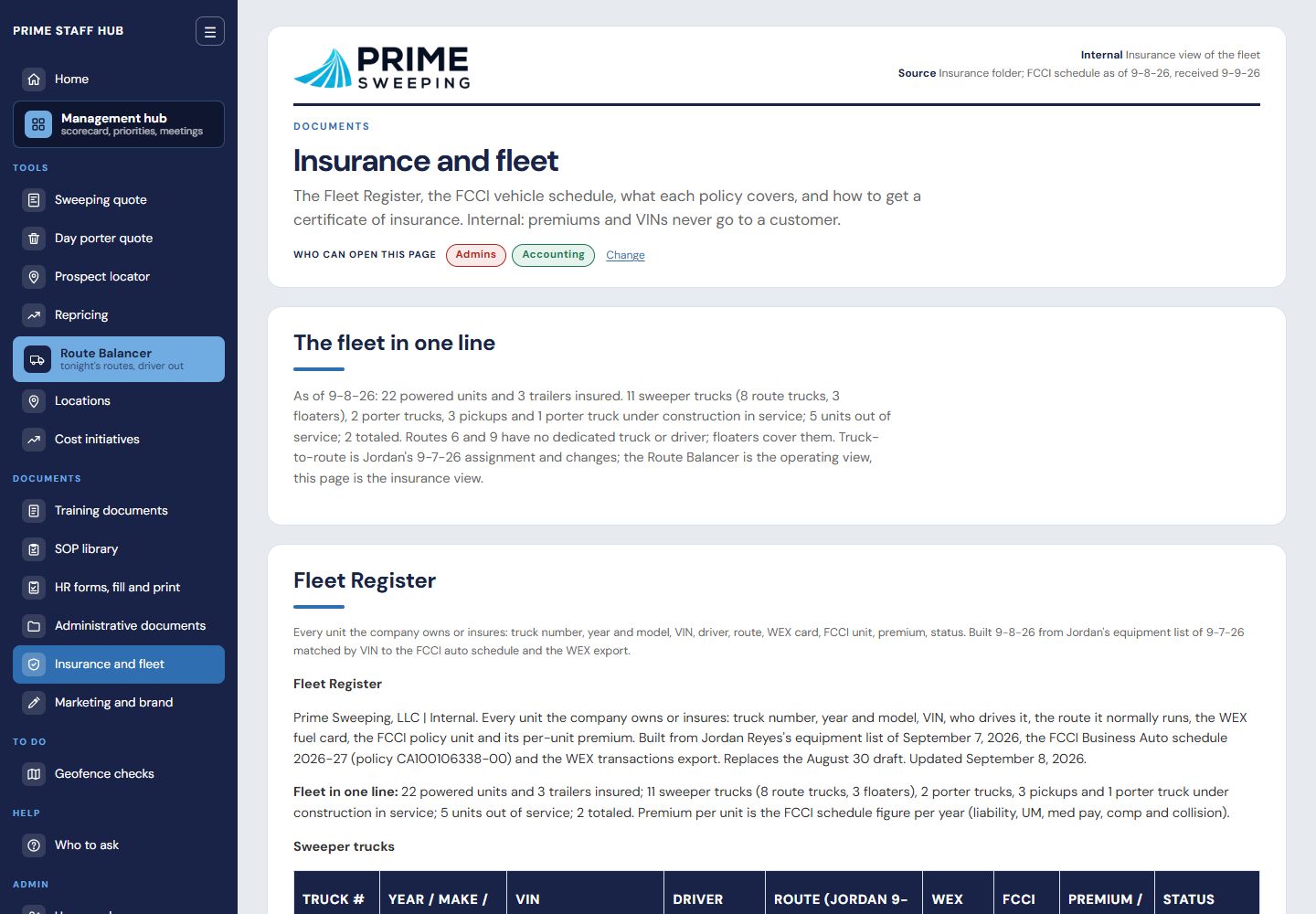
Insurance and fleet. The policies, the fleet register and where each certificate lives. Details blurred.
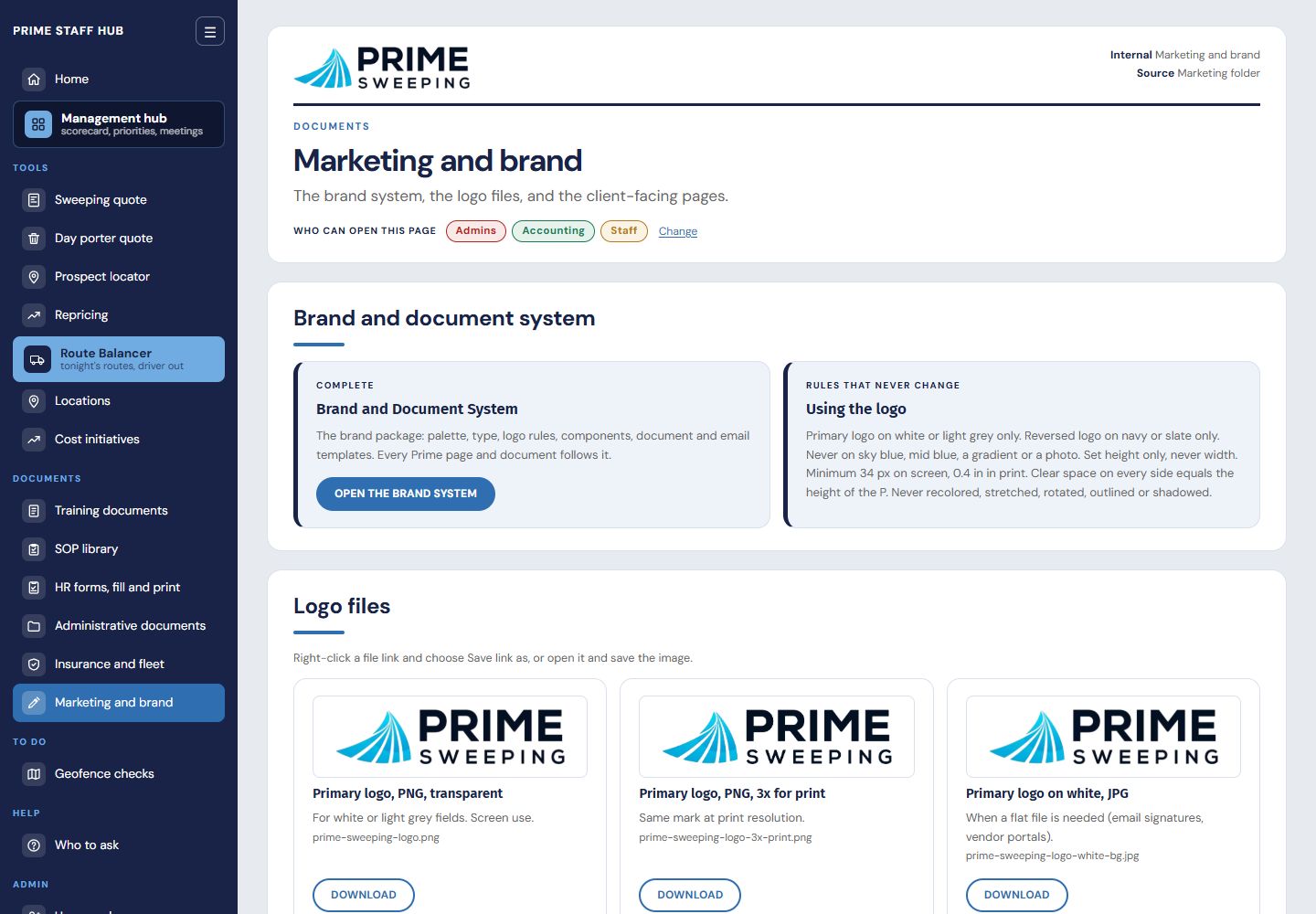
Marketing and brand. Logos, the brand system and the templates, so every proposal looks the same.
One sign-in per person,
and the owner decides who sees what.
No shared password. Each person signs in with a one-time link sent to their email. Four tiers (employee, staff, accounting, admin) decide what each person can open, the owner can change any page's access with a tick, and every change is logged with who made it and when.
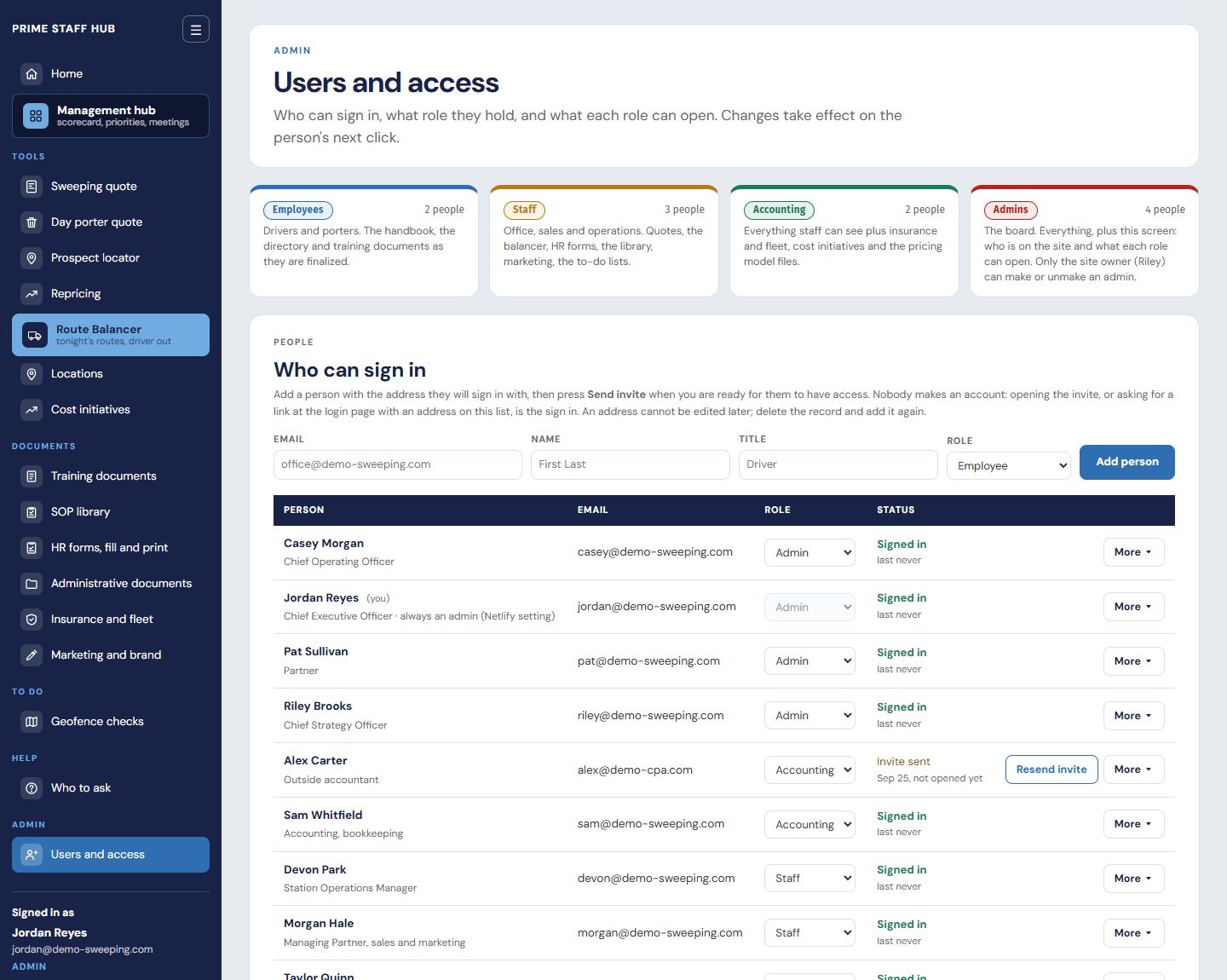
Users and access. The four tiers, the people and their invite status, and the grid that decides who opens what. Names are placeholders.
Every build is custom.
The foundation underneath is proven.
The hard part of every build is the company itself: how its routes run, how a job is priced, what the inspectors ask for. That is where the time goes. The foundation underneath (sign-in and access, the management hub, forms and procedures) is proven, so the work goes into your operation instead of rebuilding plumbing. We have built working demos this way for a waste hauler and a restaurant cleaning company. Names are blurred; the numbers are sample data.
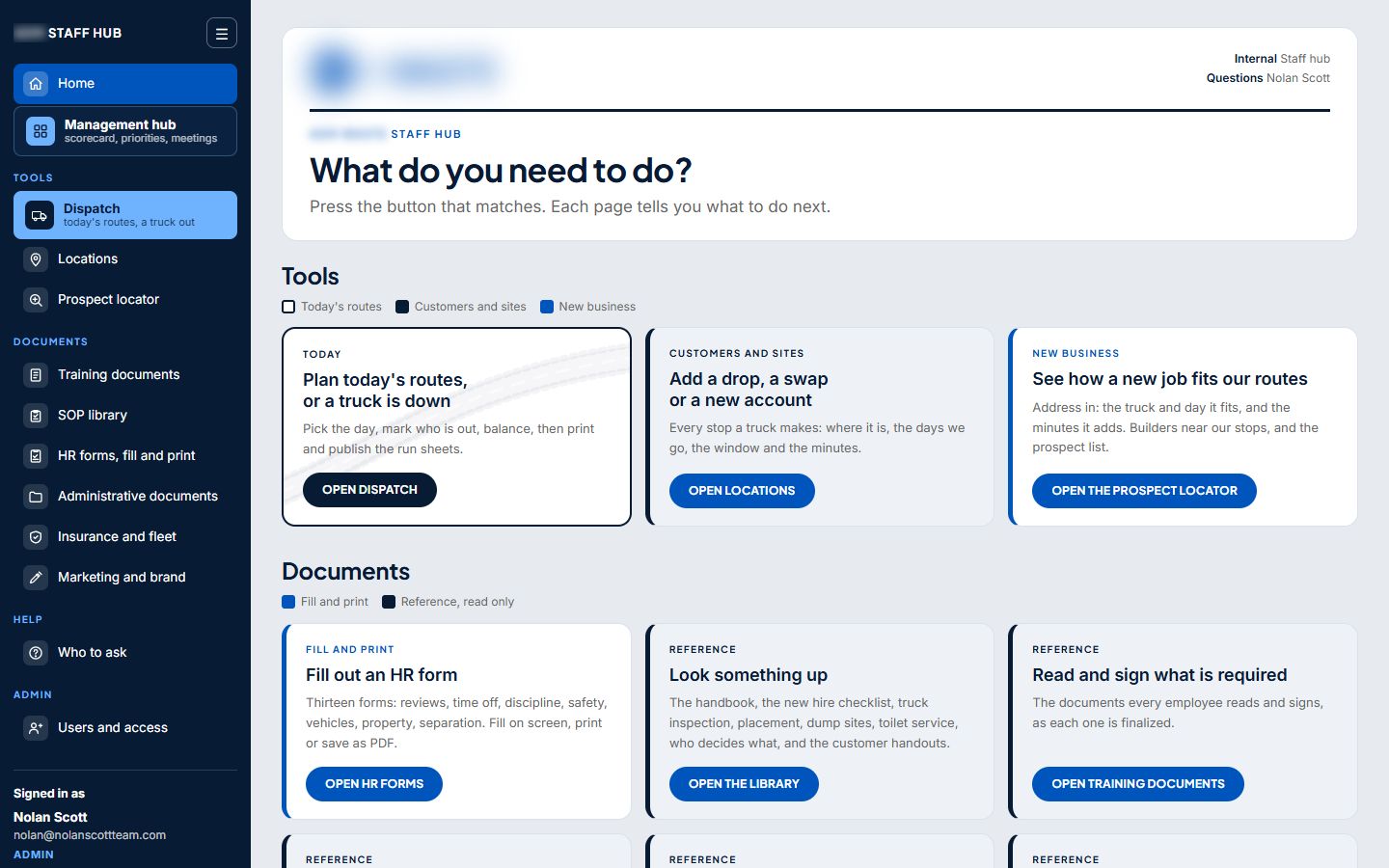
A waste hauler. Dispatch for roll-off drops and swaps, locations and a prospect locator.
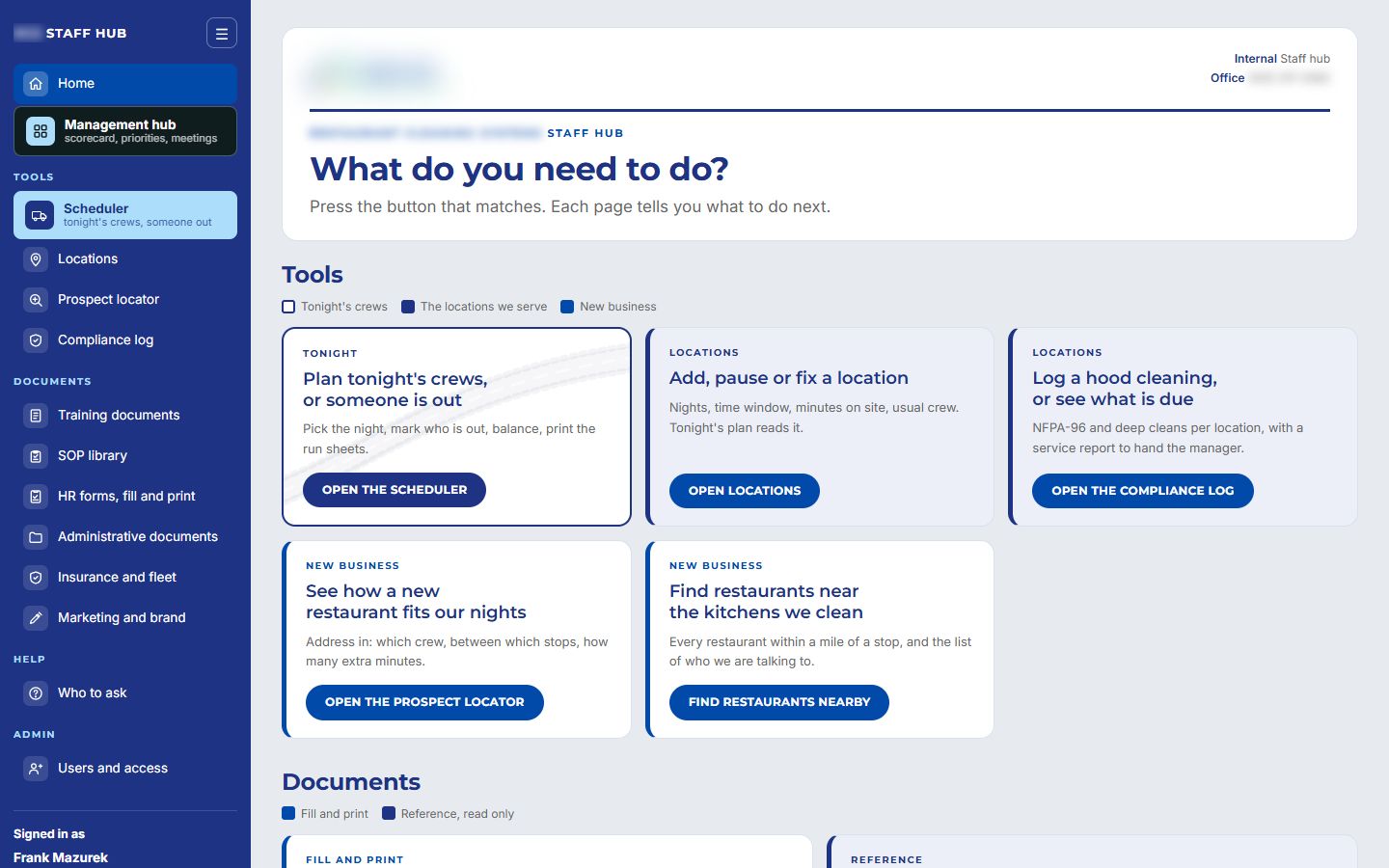
A restaurant cleaning company. A crew scheduler, a hood-cleaning compliance log and restaurant prospecting.
We've built this for other companies.
We can build it for yours.
Every company runs on a different set of tools, but the pattern holds: find the work only the owner can do today, write it down, and put it on a screen the team can use without calling you. We start with a conversation about where your time goes.
Screens are the Prime Sweeping staff site and two prospect demos, September 2026, shown on sample names and numbers.